


USB Device Not Recognized? Troubleshooting USB Extenders and KVM Systems
A USB device may work normally when connected directly to a computer but stop working after a USB extender or KVM system is added.

SC&T works closely with system integrators worldwide, and HDBaseT installation issues are among the most common support cases. Our FAE team has compiled this guide to help you quickly identify root causes and apply the right fix.
If you prefer a quick on-site reference before going through the full guide, a downloadable checklist is available below—simply complete a short questionnaire to access the file.
Access the Quick-Reference PDF
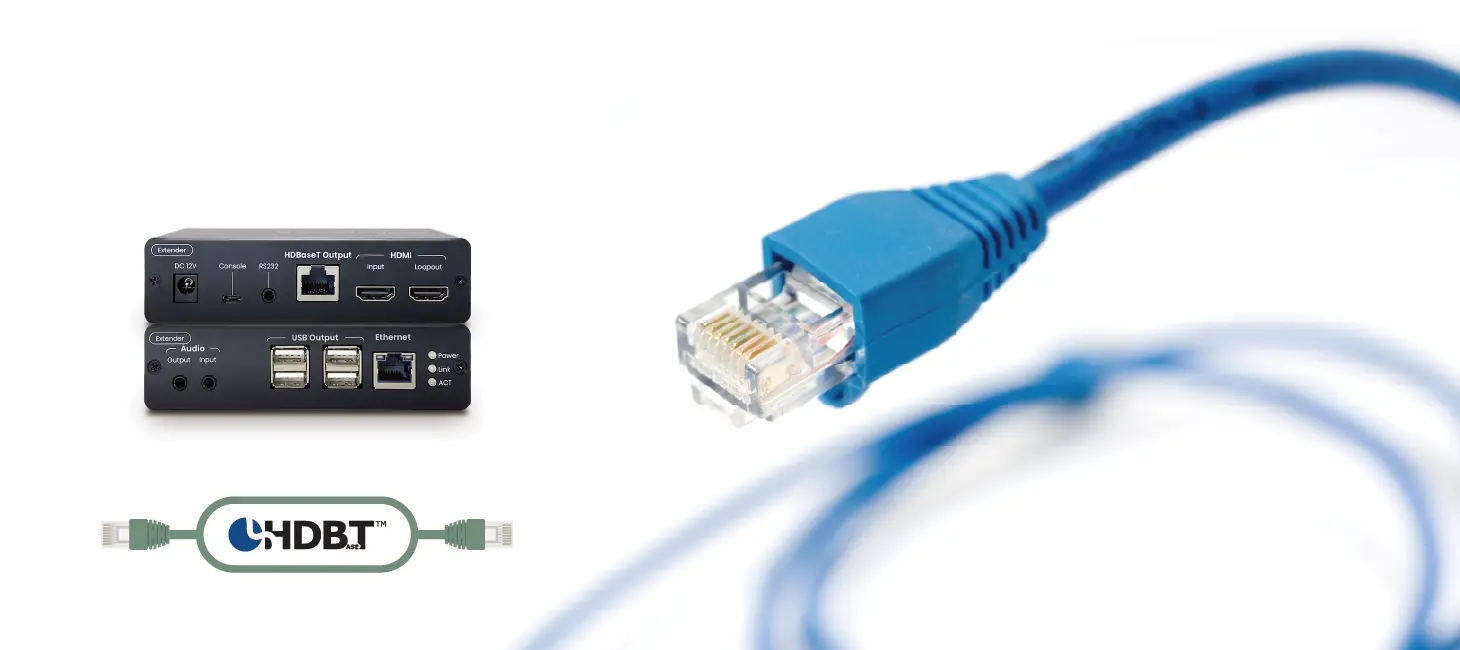
HDBaseT is a long-distance transmission technology that carries video, audio, controls, Ethernet, and power over a single CAT cable.
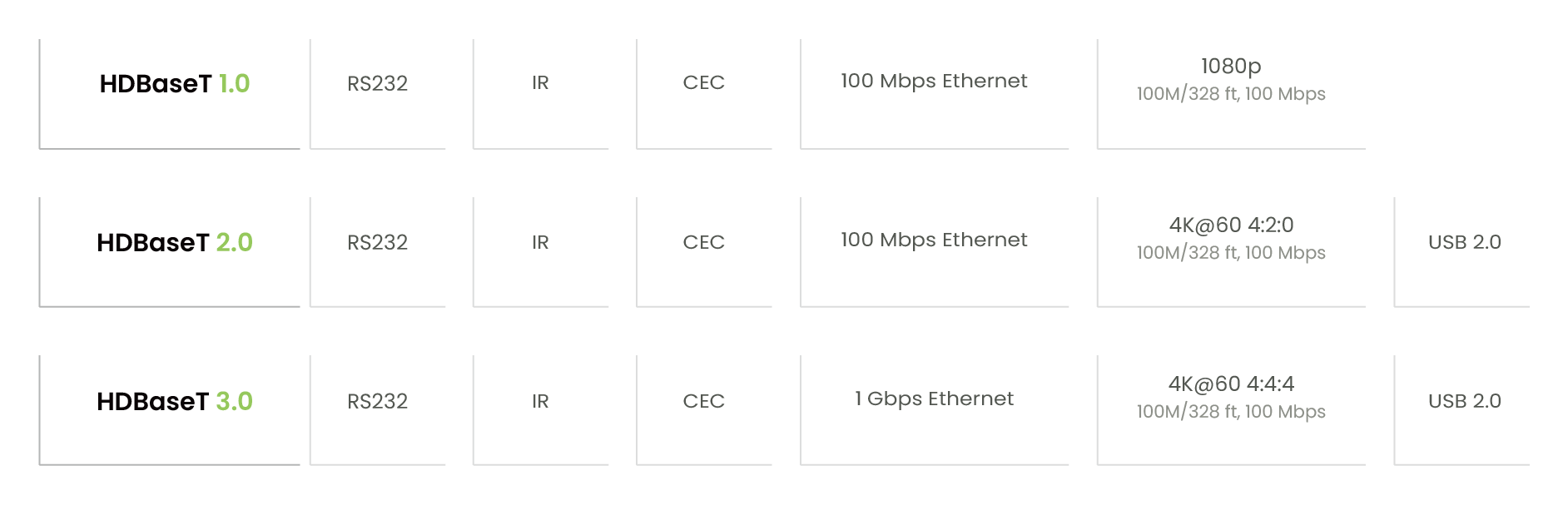
Higher HDBaseT versions are backward compatible, meaning they support the shared features of earlier versions. However, lower-version devices cannot gain newer features introduced in later HDBaseT specifications.
Before deploying an HDBaseT extender, it is essential to confirm its technical specifications, such as IR support, USB capability, and whether single-side power delivery is supported.
For more technical details on HDBaseT and a comparison with HDMI over IP, see: What Is HDBaseT? Standards & Comparisons with HDMI over IP
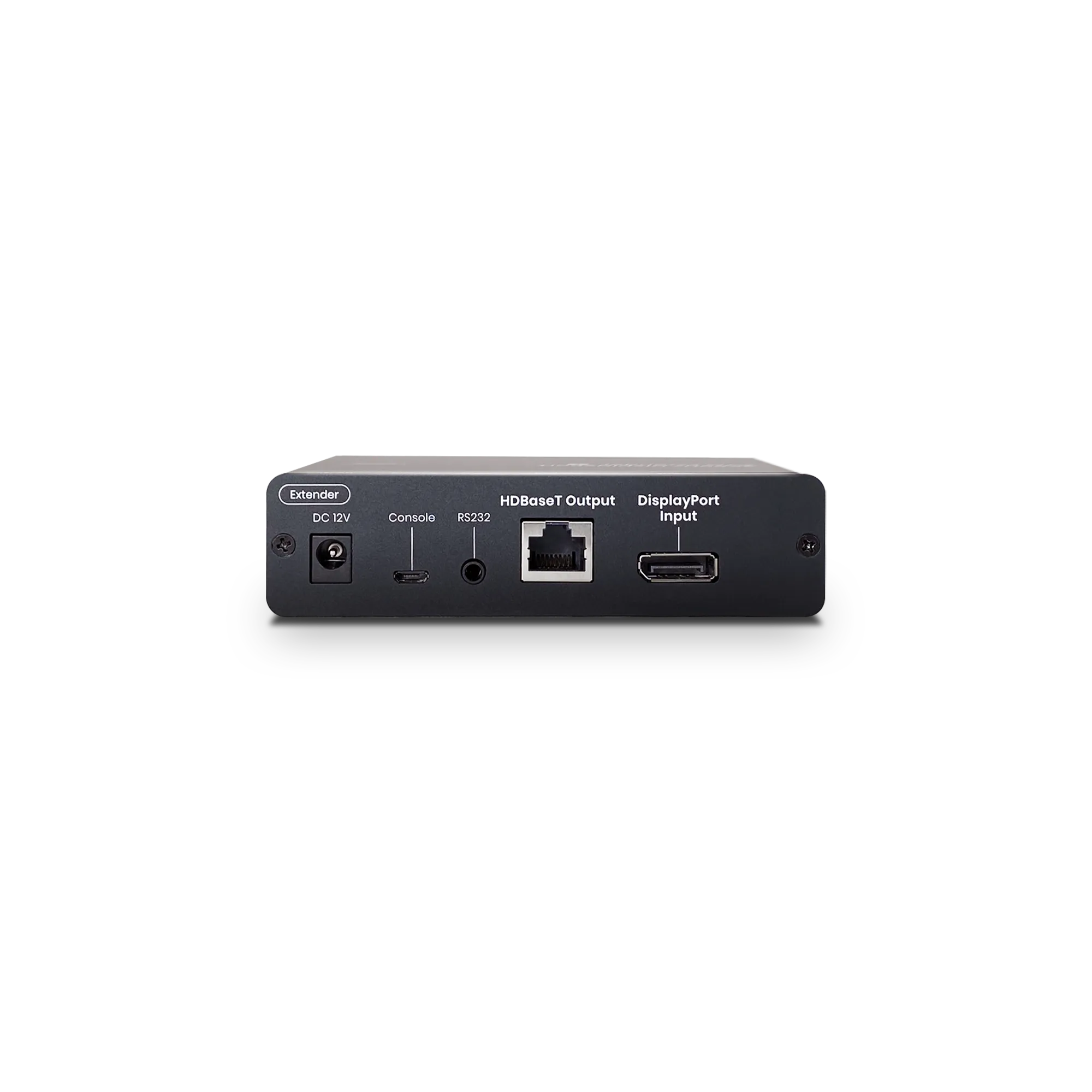
This guide applies to all SC&T HDBaseT extender models, including:
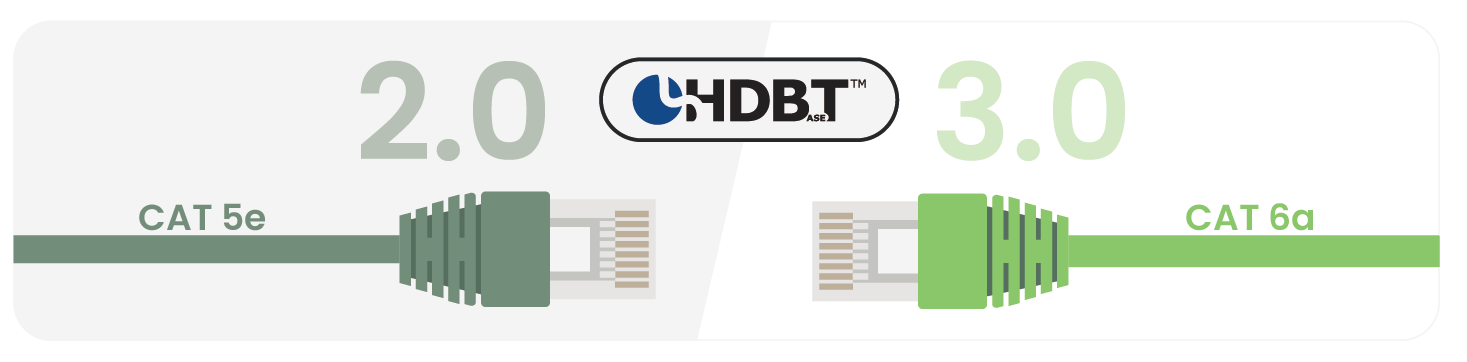
HDBaseT carries uncompressed, zero-latency video and control, so link stability depends heavily on cable quality—especially at 4K60 and longer distances. For best results, use HDBaseT Alliance–recommended / certified cabling (or equivalent high-quality solid-copper installation cable) to help ensure stable transmission over long runs.
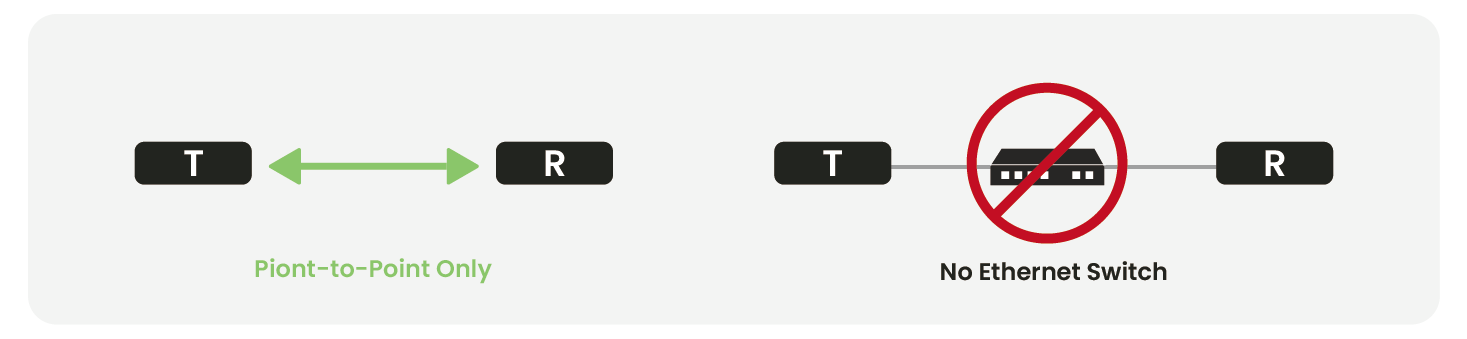
HDBaseT does not use TCP/IP.
It uses a 10G physical layer to transport uncompressed video, so it cannot pass through switches, routers, or network distribution devices.
For switching/distribution, use an HDMI matrix or AV-over-IP system.
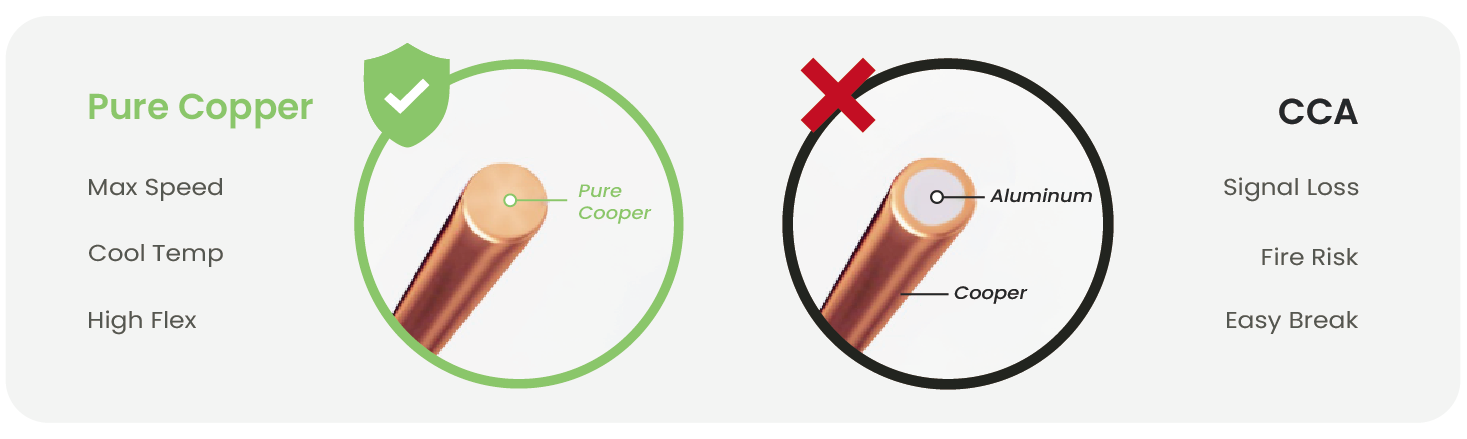
Non-pure-copper CAT cables introduce:
HDBaseT transmits uncompressed, zero-latency audio and video, which requires high bandwidth and is more susceptible to interference, especially when CAT cables are installed in tight conduits or near power lines. This may cause image flicker, black screens, or video noise.
If re-cabling is not possible, consider switching to SC&T’s HE03 Series (1G-based compressed extenders, supporting 1080p, 4K@30Hz, and 4K@60Hz).
HDBaseT problems usually fall into four major categories:
Below are the most common real-world cases and how to fix them.
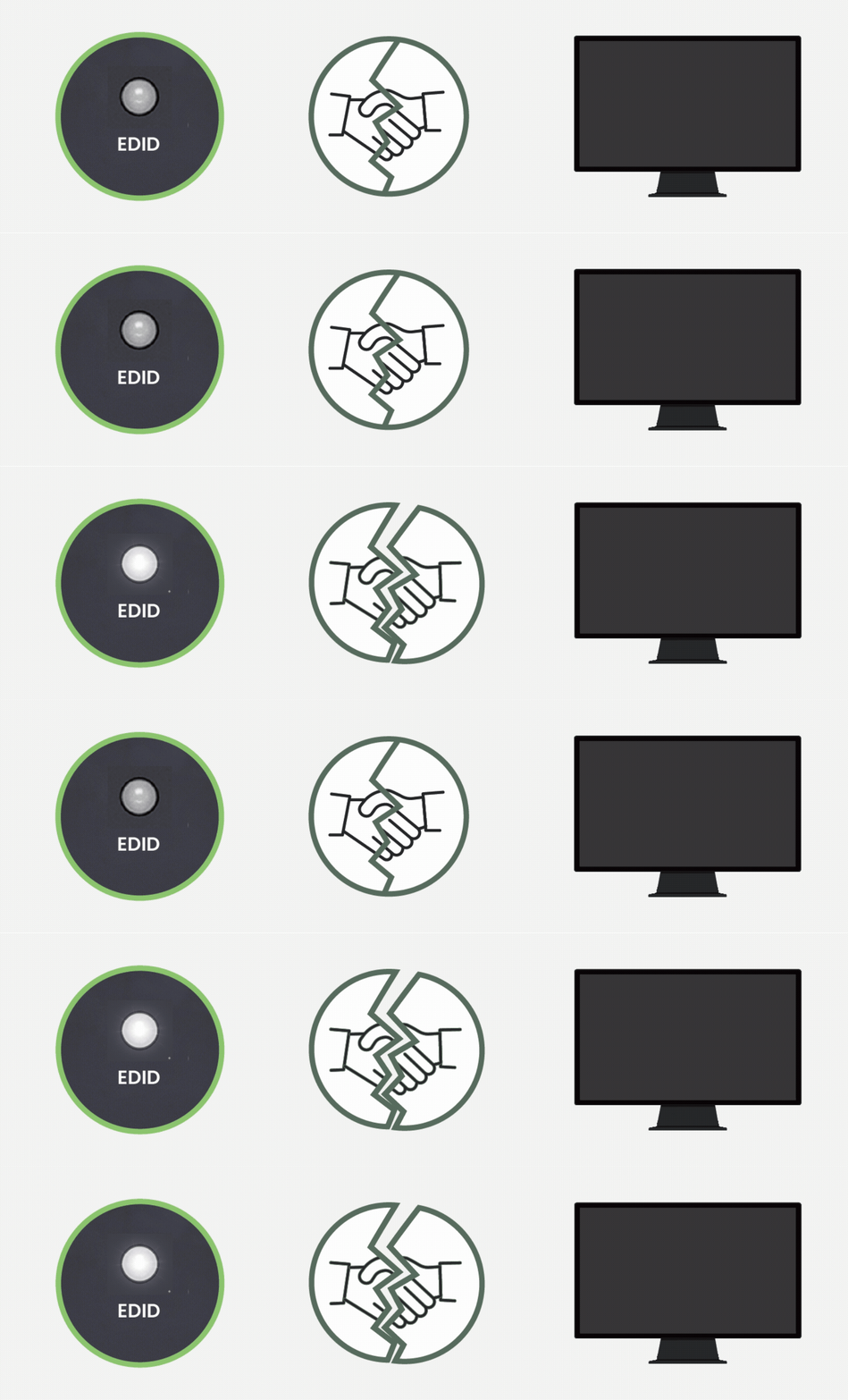
This issue commonly occurs when an HDBaseT extender shows no signal or a black screen, even though the TX/RX indicators appear normal.
LEDs appear normal, but the screen stays black
EDID (Extended Display Identification Data) handshake breaks between the source, extender, and display.
Learn more about EDID issues: The Quickest Way to Solve Your EDID Issues
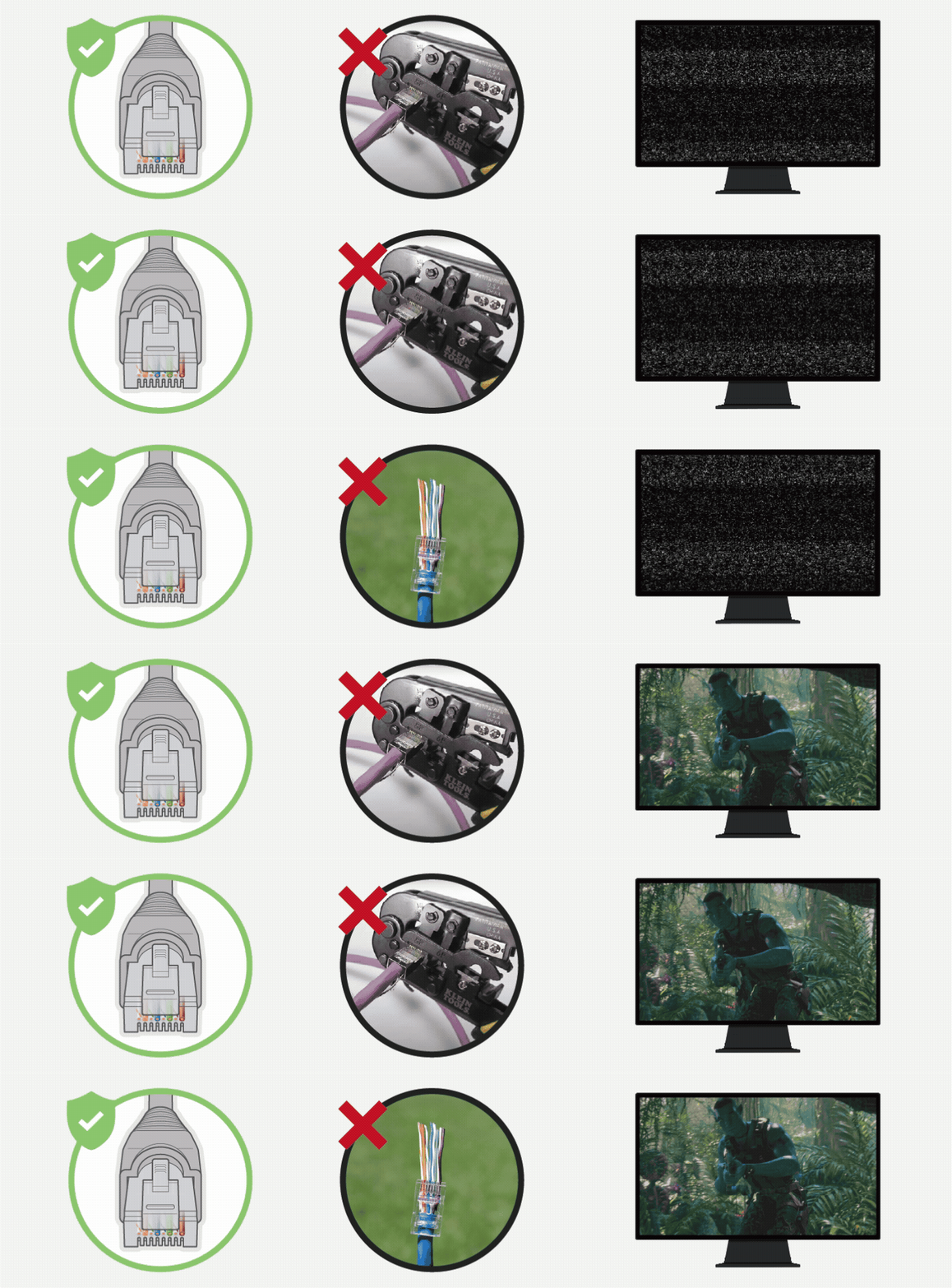
Unstable or intermittent HDBaseT signals are often caused by improper RJ45 termination, especially when pass-through connectors are used.
Pass-Through RJ45 connectors split twisted-pair wires too far apart and rely on thin cutting blades, causing:
HDBaseT officially prohibits the use of pass-through connectors, as they can cause 4K signal instability or failure.
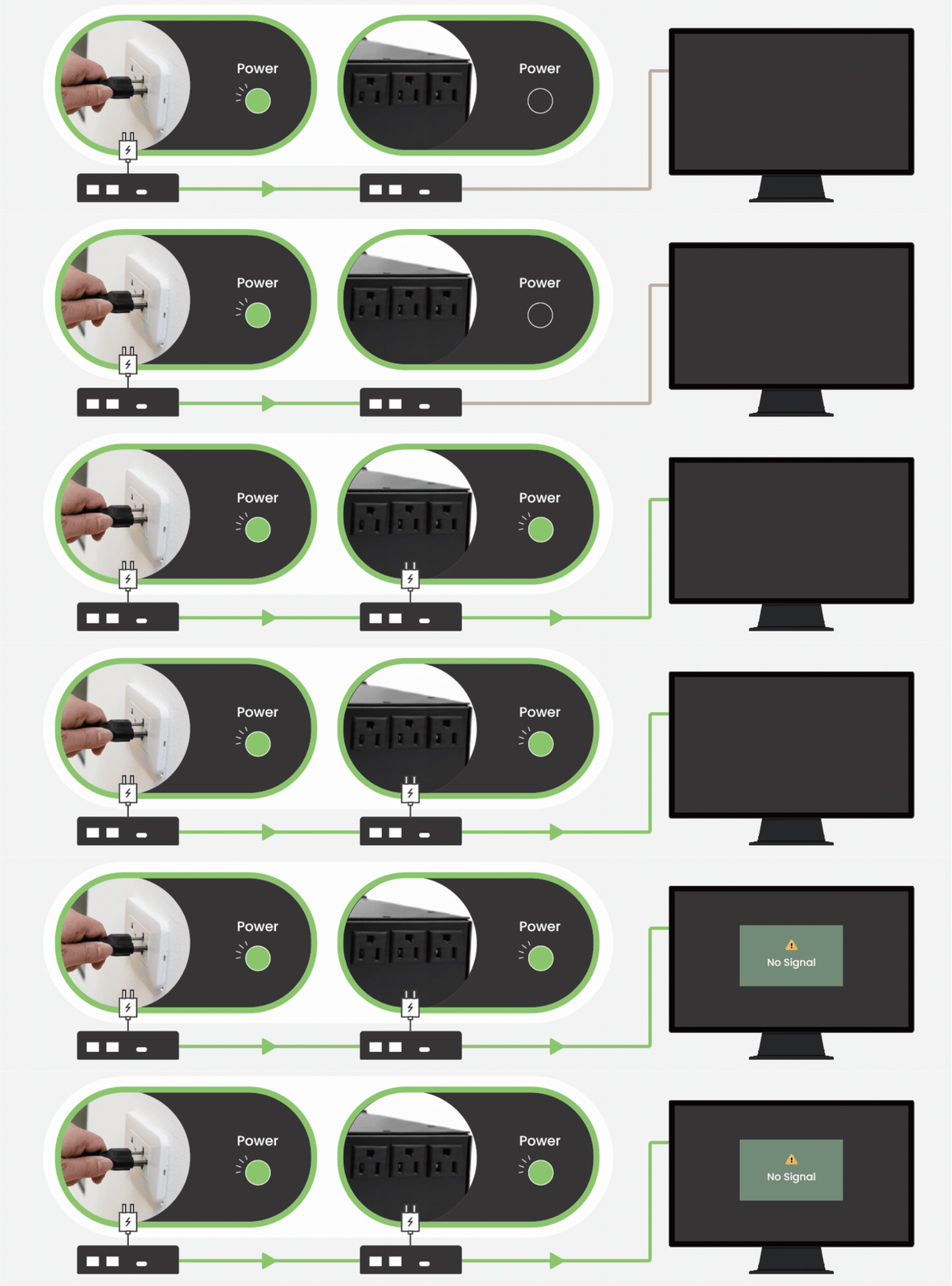
HPD-related issues typically appear when an HDBaseT system shows no input at startup due to unsynchronized power-on behavior.
The HPD (Hot Plug Detect) handshake breaks due to unsynchronized power-on behavior between the source, extender, and display.
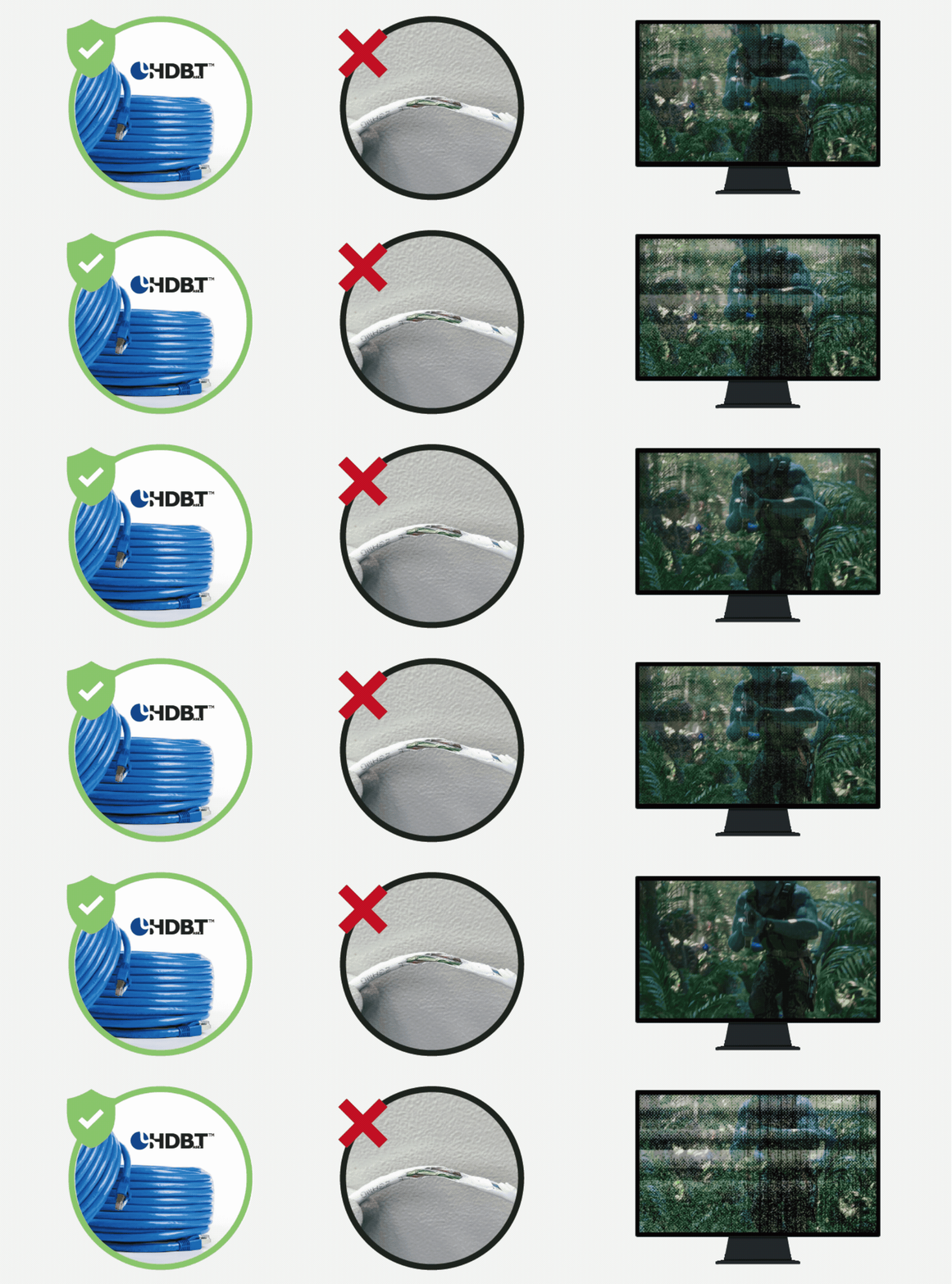
HDBaseT video instability usually occurs when 4K signals exceed cable or distance limitations, resulting in flicker, noise, or signal dropouts.
HDBaseT squeezes 18Gbps uncompressed 4K into a 10Gbps physical channel using compression & error correction.
Any weak link results in failure:
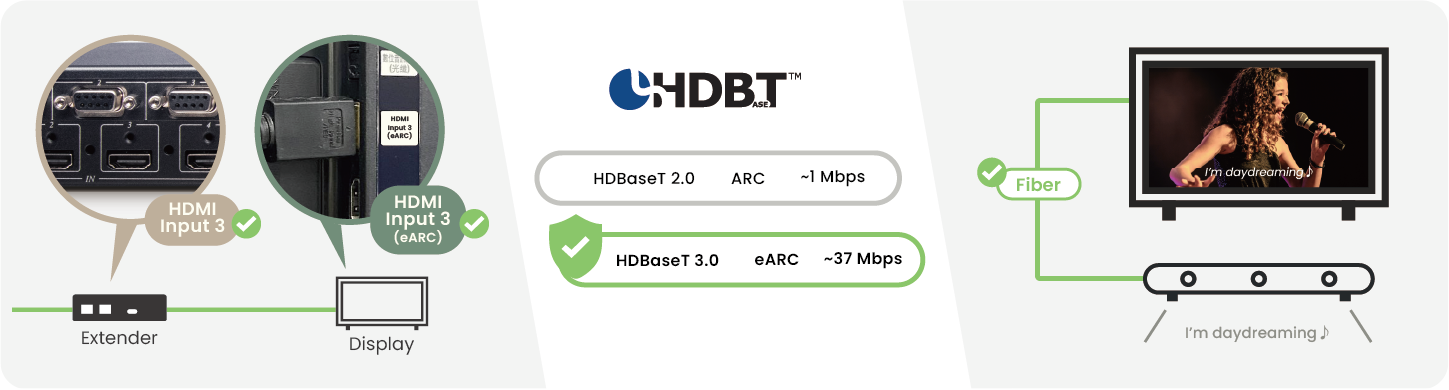
ARC or eARC audio issues over HDBaseT are commonly related to HDMI port assignment, bandwidth sharing, or device compatibility.
Learn more about HDMI ARC and eARC: What Is HDMI ARC? eARC? Differences and How They Work

IR control problems typically occur when remote commands do not respond or respond intermittently through an HDBaseT extender.
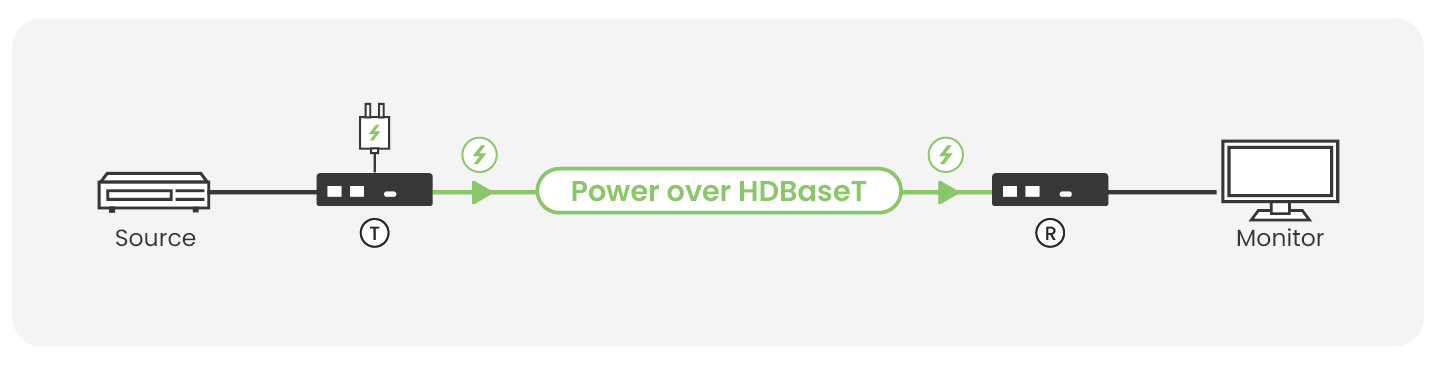
Power issues arise when the HDBaseT receiver fails to power on or requires external power due to voltage drop over long CAT cables.
PoH (Power over HDBaseT) delivers power from the TX to the RX over a CAT cable, and the RX then supplies power to the internal chipset; any condition such as poor cable quality, excessive distance, or contaminated connectors can result in voltage drop.
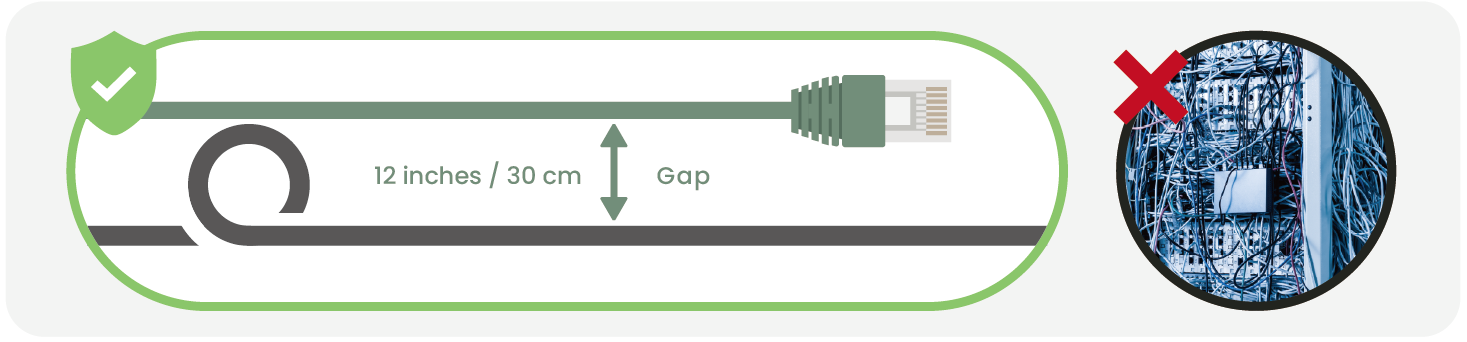
HDBaseT signal instability may occur when CAT cables are routed too close to power lines, causing electromagnetic interference.
Network cable running parallel to power cables causes EMI, especially with PoC-enabled extenders.
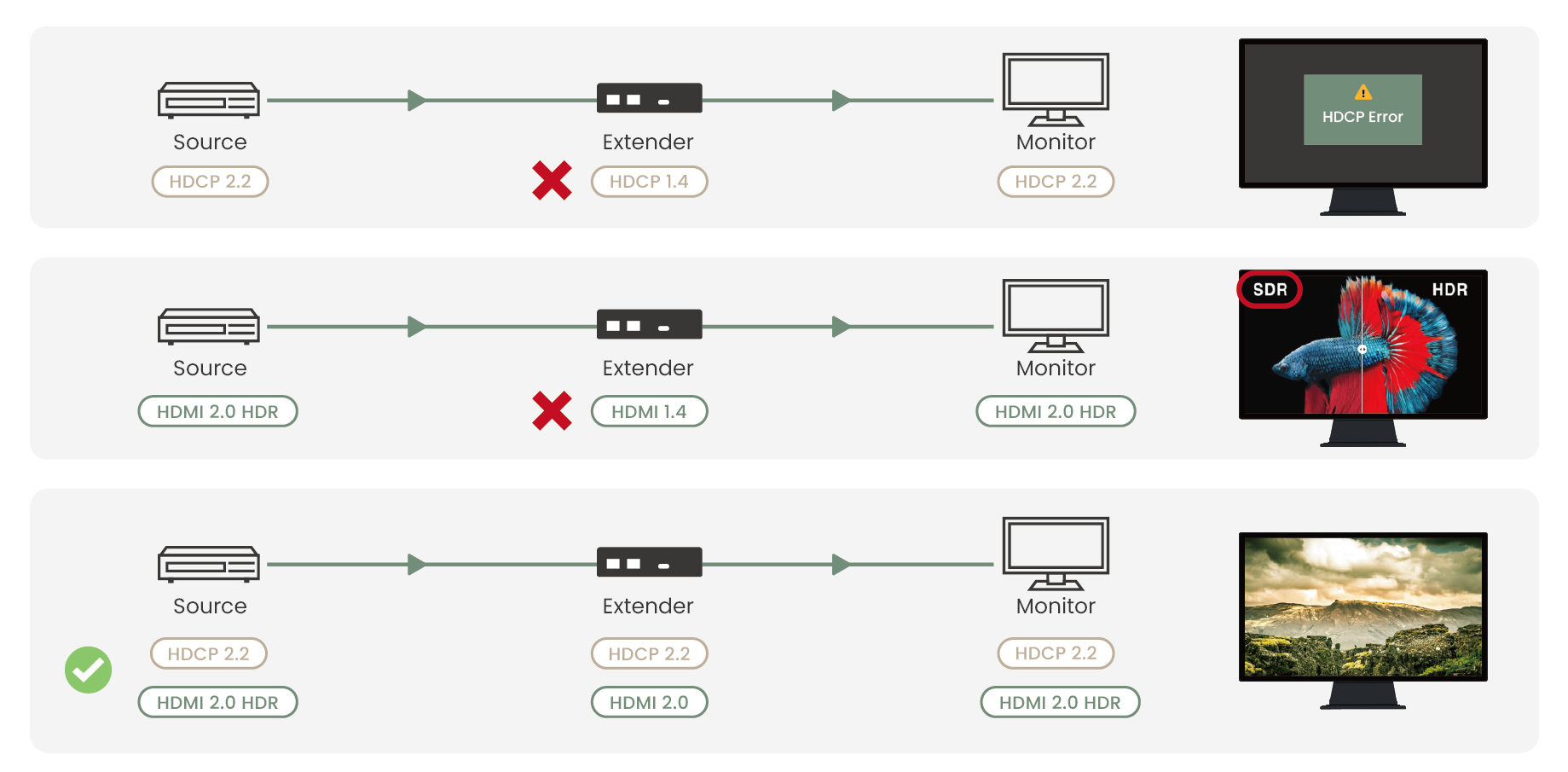
HDCP or HDMI compatibility issues often result in a black screen or HDR fallback when devices do not share the same protection standards.
Learn more about HDCP: What Is HDCP? What Causes and How to Fix HDCP Errors

HDBaseT extenders may stop working after long operation when excessive heat triggers internal thermal protection.
HDBaseT 2.0/3.0 extenders work at high bandwidth and can generate significant heat:
We hope the HDBaseT troubleshooting tips were helpful. If you still need support, we’re here to help.
SC&T’s FAE team is always ready to help you diagnose HDBaseT issues, optimize your installation, and recommend the right product for your project. You can contact us anytime through our Contact Us page.
We’ve prepared a reformatted, quick-reference PDF version of this guide, along with a bonus checklist.
Tell us a little about where you use HDBaseT and what other interfaces you work with to access the download.
We’ll use your feedback to improve future guides and develop solutions that better match real-world projects.
Copyright © SC&T. All rights reserved. No part of this website may be reproduced or distributed without prior written permission.
A USB device may work normally when connected directly to a computer but stop working after a USB extender or KVM system is added.
AV requirements in a medical simulation center go beyond recording a training session. In addition to room camera feeds and audio, a session may require recording patient vital signs, ultrasound images, or displays from other equipment. Some content may need to be sent to a control room or observation area for live viewing and later used during debriefing.
PoE, PoE+, and PoE++ all carry network data and DC power over an Ethernet cable. The main difference is the amount of power they can deliver. Basic PoE works for many low-power devices, such as IP phones and some PoE IP cameras. PoE+ provides more power and is commonly used for PTZ cameras and wireless access points. PoE++ uses IEEE 802.3bt Type 3 or Type 4 to power network devices with higher power requirements.

1. All specifications are subject to change without notice.
2. Brand and product names mentioned are trademarks of their respective companies.
3. The terms HDMI, HDMI High-Definition Multimedia Interface, HDMI Trade dress and the HDMI Logos are trademarks or registered trademarks of HDMI Licensing Administrator, Inc.


