Up
No items found.
No items found.
Home
Next
Products
Next
HDMI® Transmission
Next
HDMI® Matrix
HKM02B-4K

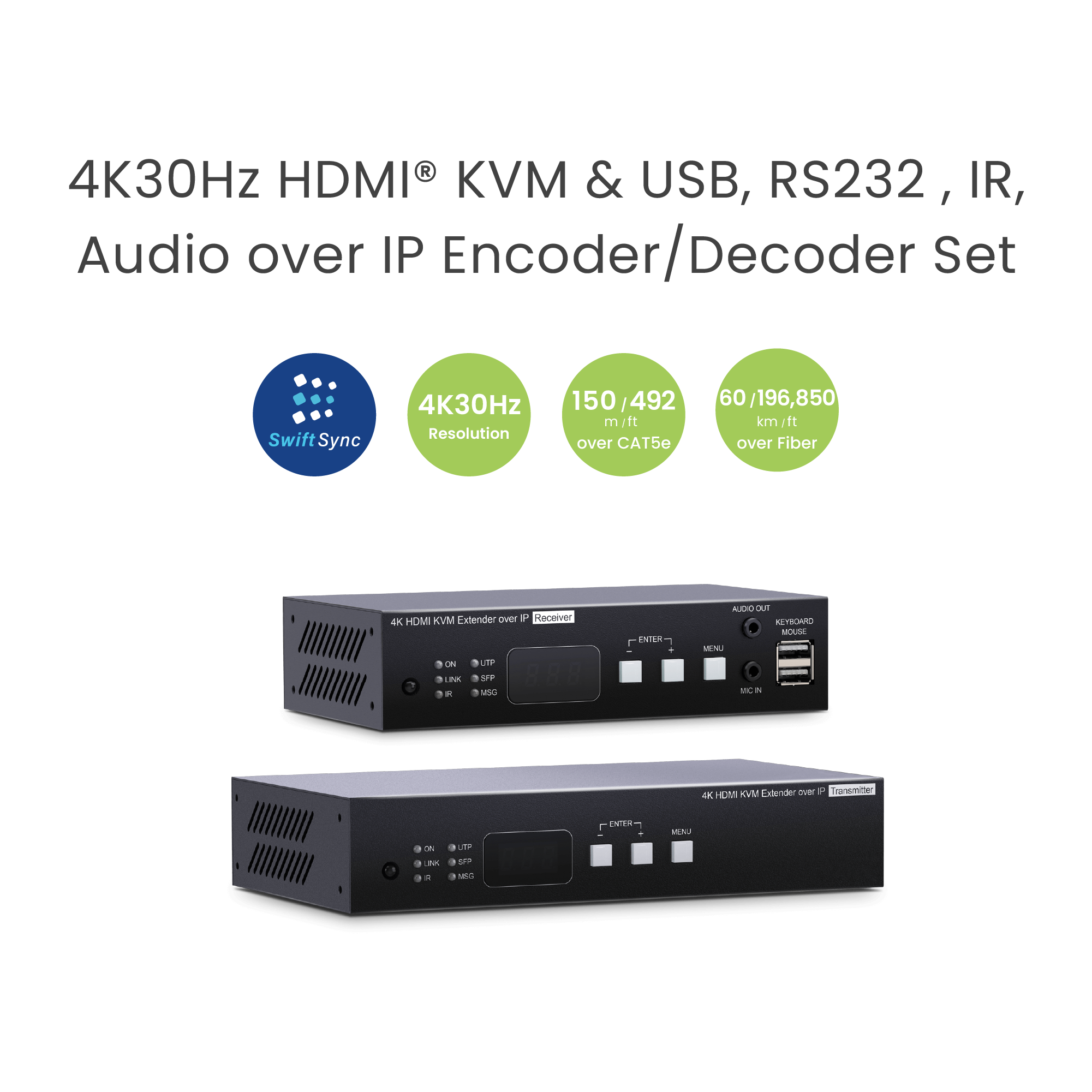
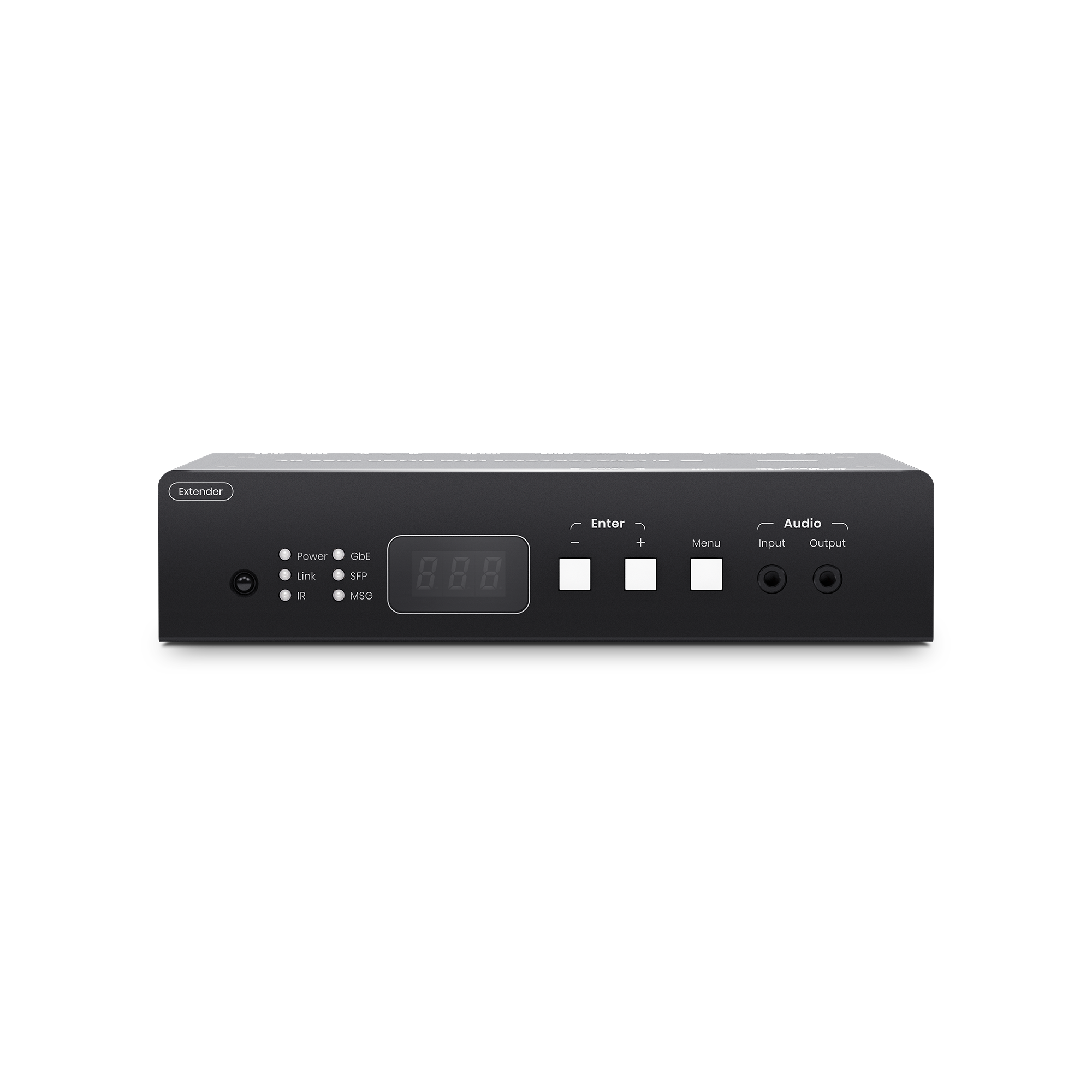
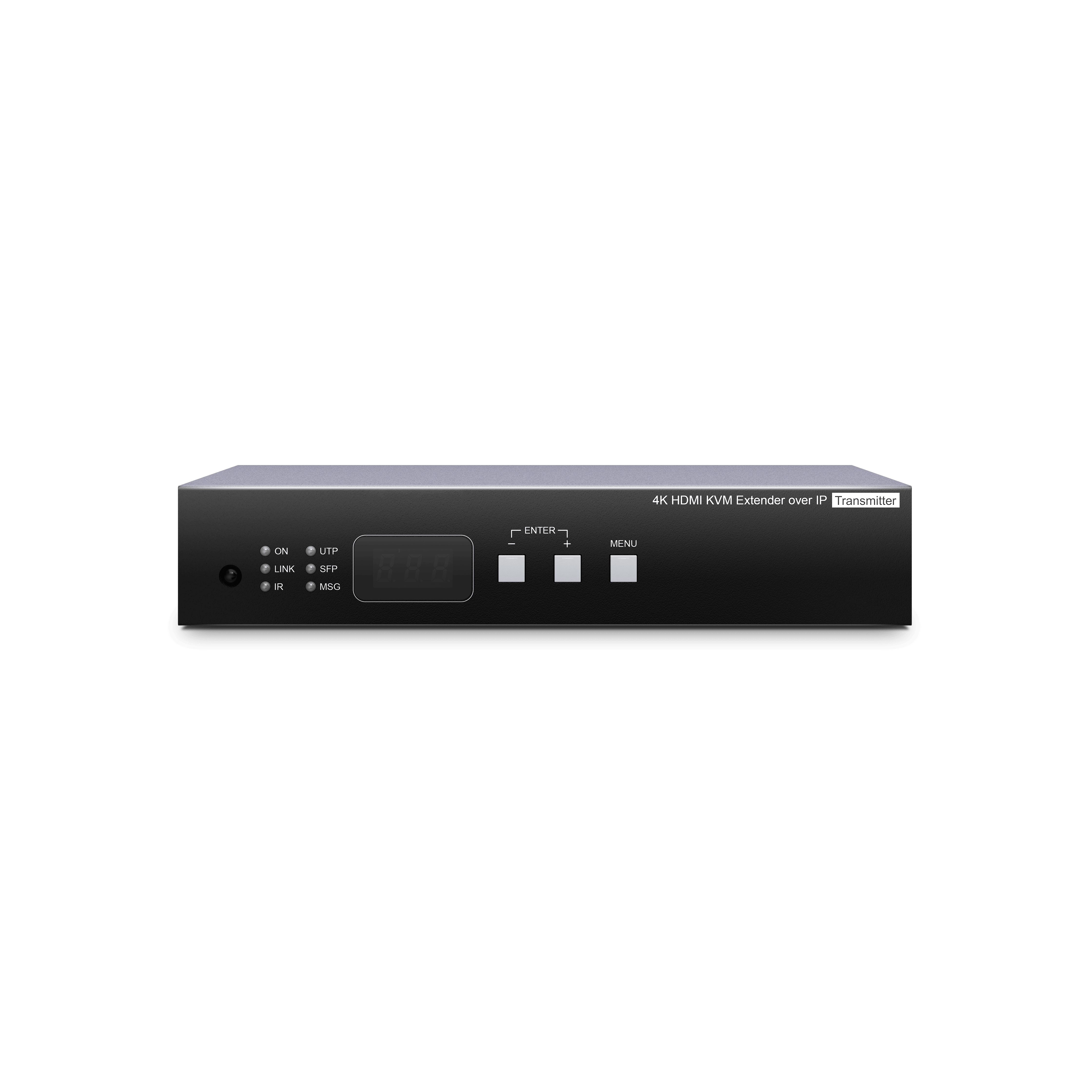
SwiftSync 4K HDMI® KVM & USB, RS232 , IR, Audio over IP Encoder/Decoder set

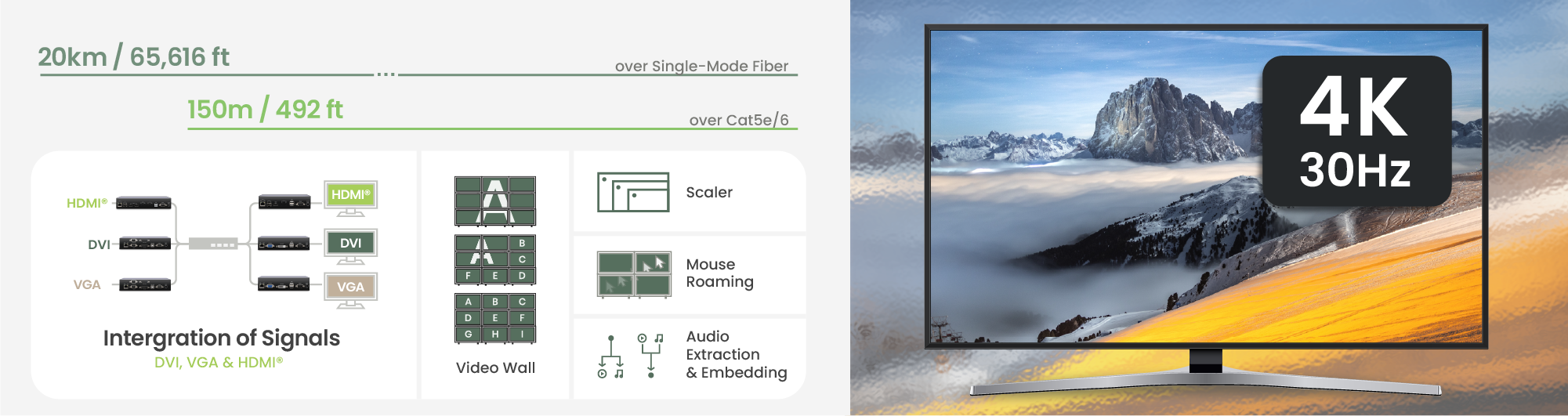
  • Resolution up to 4K30Hz.
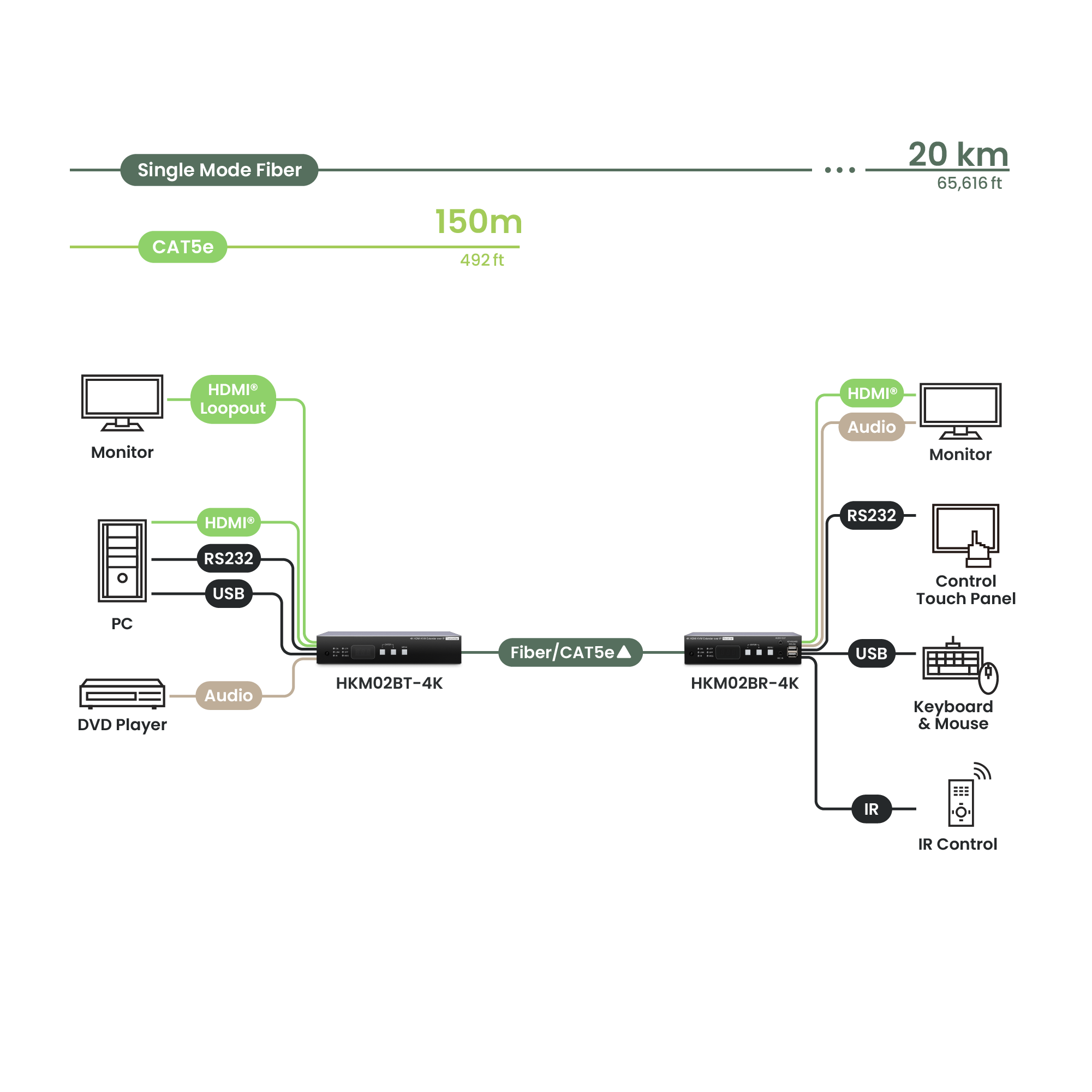
  • Signal extension up to 150m over CAT5e (or greater), 20km over fiber optic cable.
  • Works with 1G Ethernet switches for HDMI® extension, distribution, switching, and matrix.
  • Built-in loop out, an extra local HDMI® display at the Encoder side.
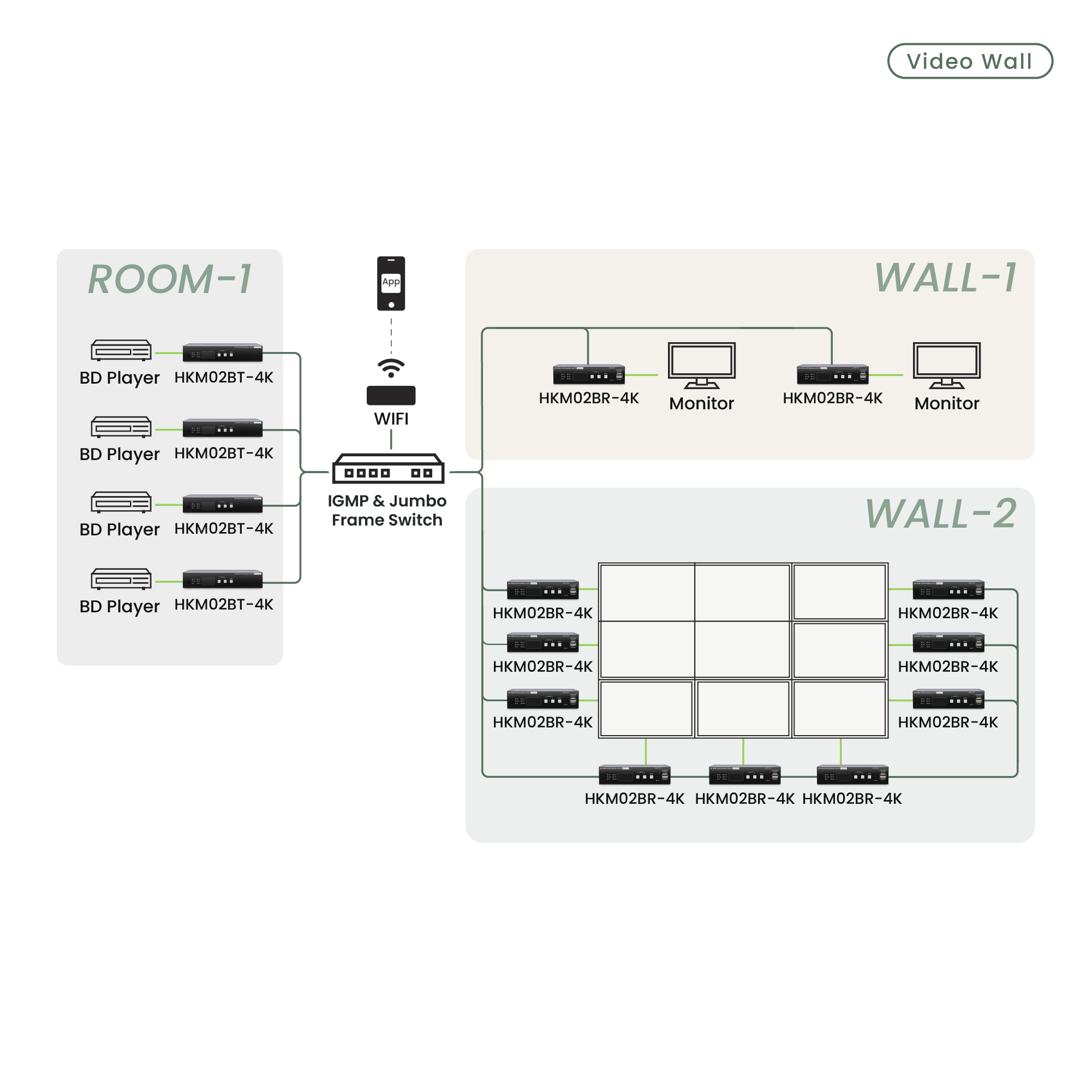
  • Supports up to 8 x 16 video wall.
Inquiry

As a manufacturer, we value the profit of our clients and do not have any online store. You can get the unpublished price from us through the inquiry button.

SHOP ONLINE (US)
Find local distributorSEE other models
Inquiry

The HKM02B-4K is a 4K30Hz, highly flexible HDMI® KVM Matrix system that supports a 1G Ethernet switch designed to scale with your project. Available in 1080P(HKM02B), 4K@30Hz (HKM02B-4K), or 4K@60Hz (HKM02B-4K6G), it allows you to customize the exact number of Encoders and Decoders based on your site requirements. Featuring dual-medium support for both CAT5e/6 and fiber-optic transmission, it seamlessly adapts to any infrastructure. With integrated Mouse Roaming, operators can control multiple PCs by simply moving the cursor across monitor borders. It is the perfect all-in-one solution for Response/Control Centers, large-scale security, and mission-critical routing. Note: Different resolution versions are not compatible and cannot be mixed within the same system.

Features

Flexible, Customizable Video Wall
Mouse Roaming for Seamless Multi-PC Control

Streamline your workflow with Mouse Roaming. Control multiple PCs using a single keyboard and mouse by simply moving the cursor across monitor borders. This hardware-based switching eliminates hotkeys, providing intuitive, real-time multitasking—perfect for enhancing efficiency in high-pressure Response Centers and mission-critical environments.

Multiple Control Options

Multiple control options to meet different project requirements.
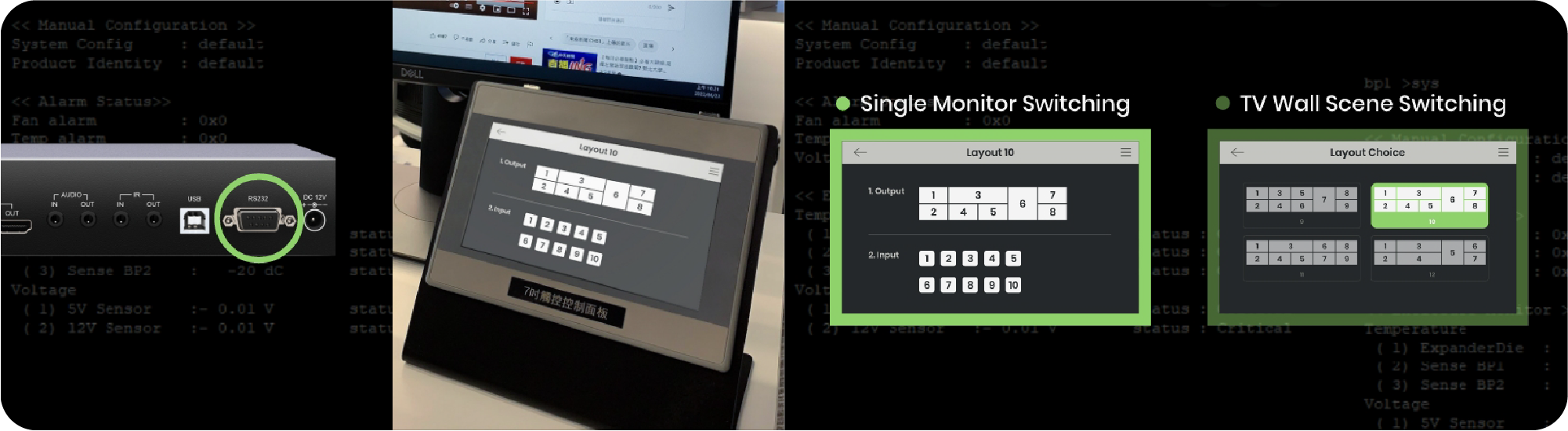
RS232 for Customized Control

Use the RS232 command list provided in the SC&T user manual to build a customized control interface.

Long-Lasting Durability

Built-in circuit protection components to prevent the devices from surge spikes.

Ethernet Switch Requirement

HKM02B series requires a managed switch that supports IGMP and Jumbo Frames.

Resolution

Bandwidth (Mbps)

3840x2160(4K)

146~268

1920x1080 (1080p)

80~210

1280x720(720P)

112~177

1600x1200 (UXGA)

57~105

1280x1024 (SXGA)

79~150

1024x768(XGA)

72~120

800x600 (SVGA)

49~82

640x480 (VGA)

29~56

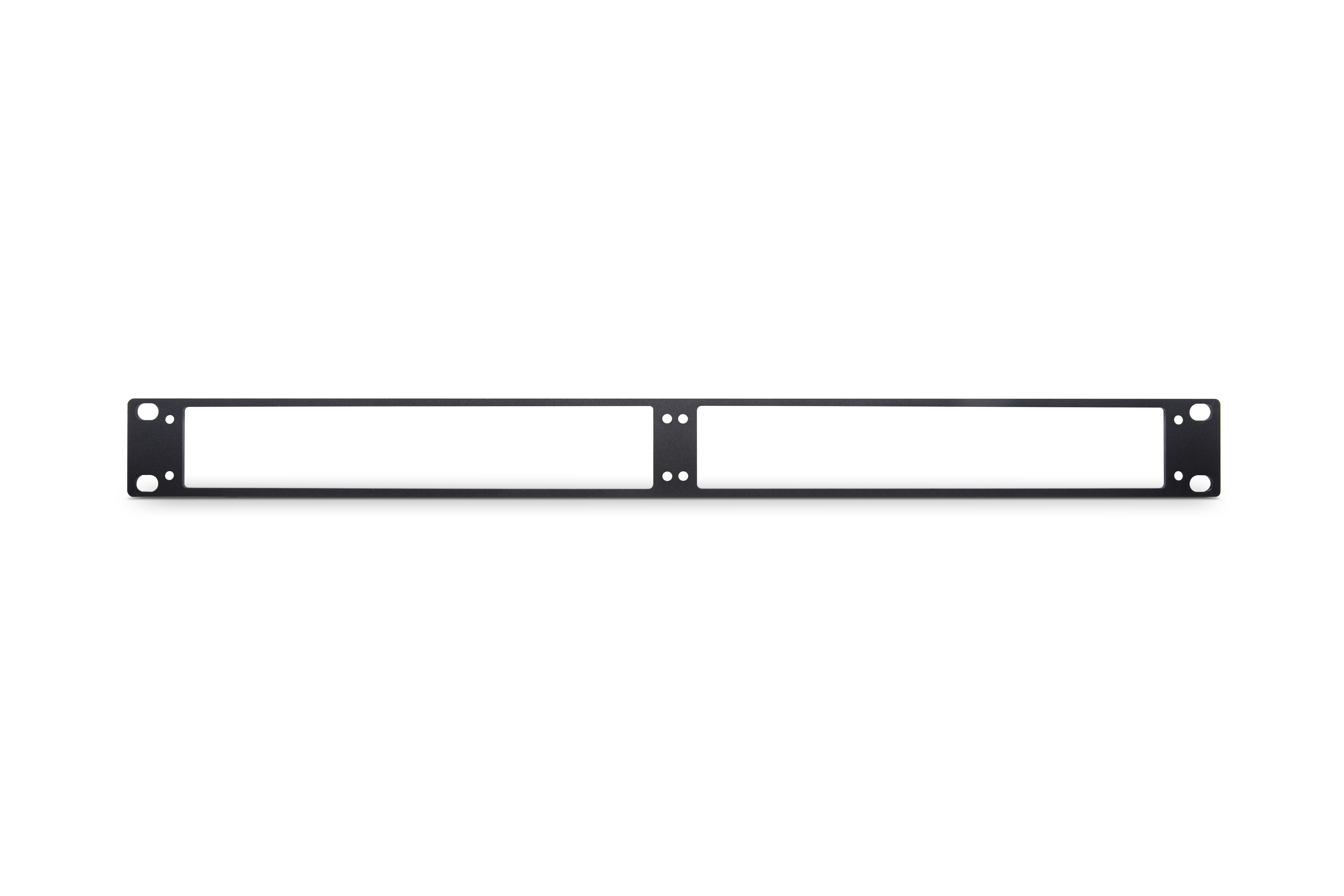
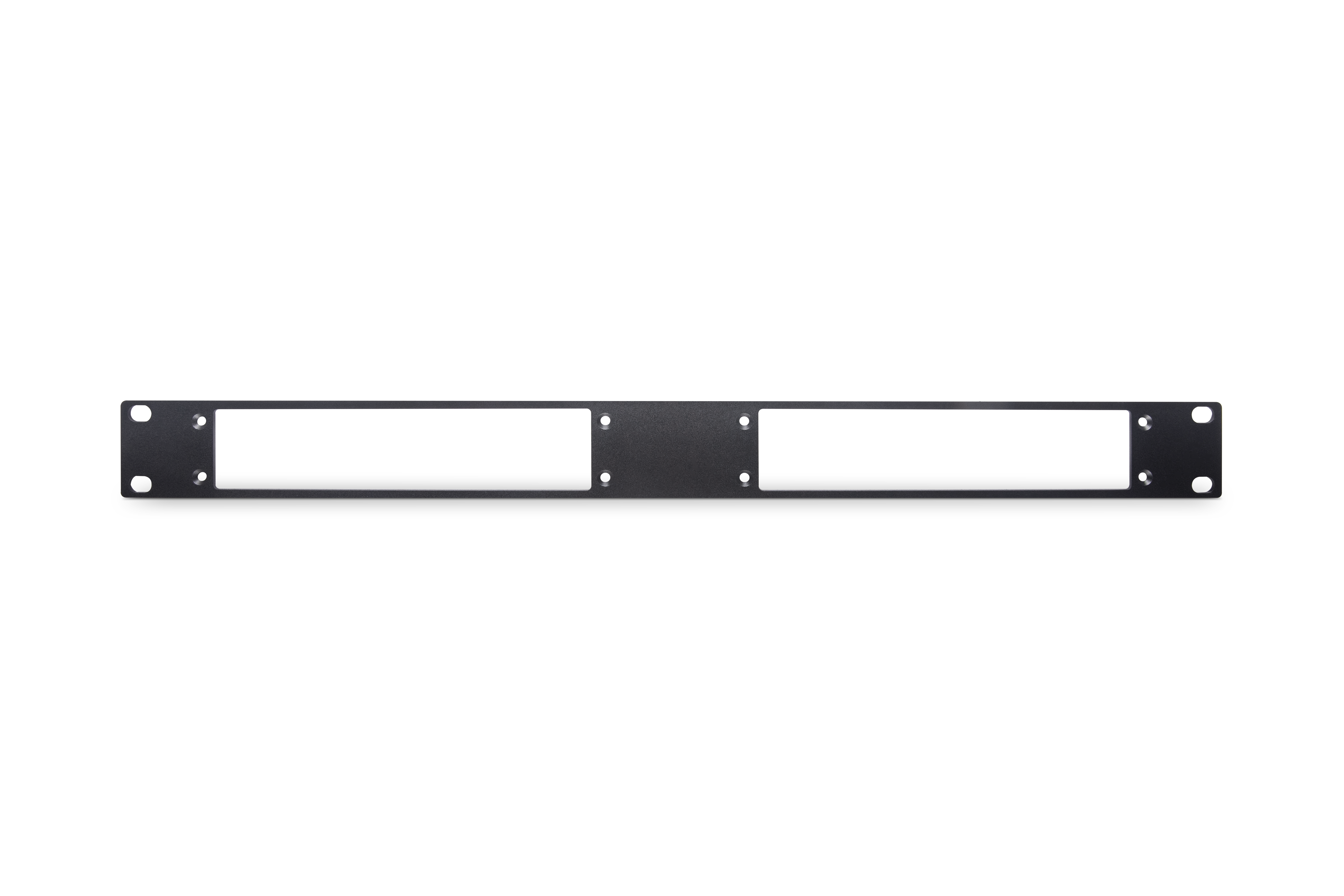
Optional 1U Rack-Mount Kit

For control rooms and AV racks, the 1U rack panel helps keep multiple SC&T devices aligned and easier to maintain.

  • Designed for selected SC&T device sizes for cleaner rack organization
  • Easy installation with included screw set and illustrated manual
  • Standard 19" rack format, 1U height

View Rack Kit

5-Minute Setup Tutorial for SC&T AV over IP Systems

SC&T AVoIP tutorial videos are divided into two parts: The first part is the basic setup video, and the second part will be an advanced video wall tutorial, in which we will cover advanced settings and software operations.

In this video, you will learn how to:

  • Set up Jumbo Frame and IGMP Snooping of the switch
  • Set the Tx channel via one of the following methods:
    1. Use the device buttons/rotary switch
    2. Enter the RS232 command using PuTTY/RS232 software
    3. Use the remote control with the screen panel/RS232 software

By following up the steps, you can easily set up the video matrix and control it using different methods like a remote control or software.
Benefits

  • Multiple control options for different project requirements
  • Budget-friendly 1G network architecture
  • Supports both CAT cable and fiber for flexible distance planning
  • Supports a wide range of USB 2.0 devices, such as USB flash drives and webcams

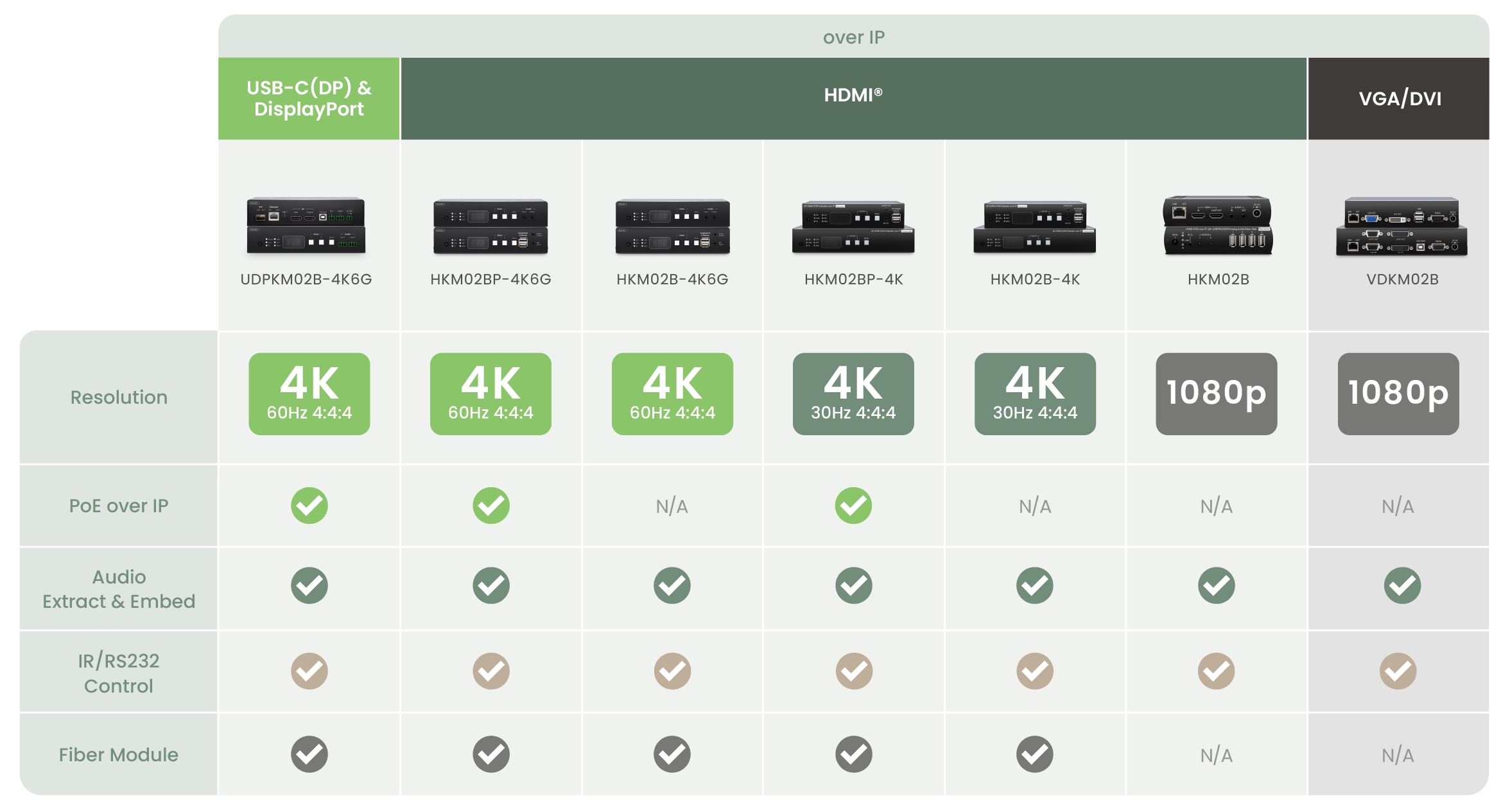
AV-over-IP Series Comparison Table

Case Studies

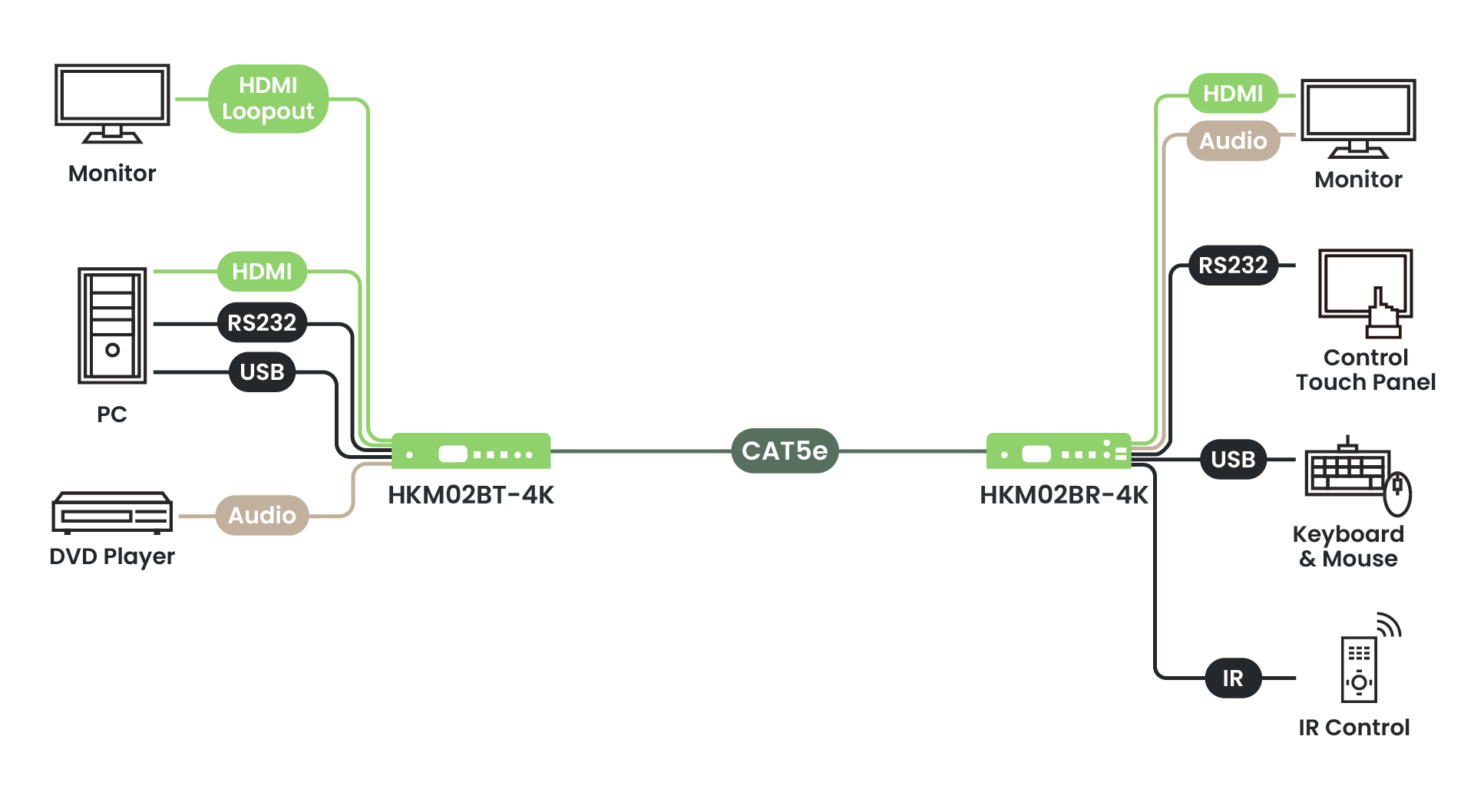
We offer a range of AV-over-IP case studies, including system topology diagrams and real-world application examples from system integrators.
Model

HKM02BP-4K

HKM02B-4K

HKM02B

VDKM02B

Video Format

HDMI

HDMI

HDMI

VGA/DVI

Resolution

4K@30Hz

4K@30Hz

1080p@60Hz

1080p@60Hz

Audio Embed & Extract

V

V

V

V

IR

V

V

V

V

RS232

V

V

V

V

PoE

V

Fiber Module

V

V

  • Resolution up to 4K30Hz.
  • Signal extension up to 150m over CAT5e (or greater), 20km over fiber optic cable.
  • Works with 1G Ethernet switches for HDMI® extension, distribution, switching, and matrix.
  • Built-in loop out, an extra local HDMI® display at the Encoder side.
  • Built-in 4 USB ports for remote control.
  • Supports up to 8 x 16 video wall.
  • Supports video scaler, 4K30Hz to 1080p/ 1080p to 4K30Hz.
  • Supports HDMI® audio embedding and extraction function.
  • Supports USB, full-duplex RS232, bi-directional IR, analog audio transmission.
  • Supports RS232 signal distribution.
  • Managed via Windows-based software, Android/iOS APP, Web GUI, IR remote, panel buttons, Telnet API, RS232 console.

Extending
Matrix Switching
Switching
Distributing
TV Wall
Firmware/Software

Update Steps:

  1. Download the software.
  2. Download the firmware.
  3. Connect the device to the computer.
  4. Open the software and select the corresponding downloaded firmware.
  5. Operate the firmware update.

Release Date

Ver.

Release Note

File Name

November 16, 2025

V1.1_2510161

Firmware Update
icon

Release Date

November 16, 2025

Ver.

V1.1_2510161

Firmware Update
icon

October 16, 2025

V1.1_2510161

Firmware Update
icon

Release Date

October 16, 2025

Ver.

V1.1_2510161

Firmware Update
icon

June 3, 2025

V1.0_2506031

Firmware Update
icon

Release Date

June 3, 2025

Ver.

V1.0_2506031

Firmware Update
icon

June 3, 2025

V1.0_2506031

Firmware Update
icon

Release Date

June 3, 2025

Ver.

V1.0_2506031

Firmware Update
icon

August 6, 2024

V1.0_2408061

Firmware Update
icon

Release Date

August 6, 2024

Ver.

V1.0_2408061

Firmware Update
icon

August 6, 2024

V1.0_2408061

Firmware Update
icon

Release Date

August 6, 2024

Ver.

V1.0_2408061

Firmware Update
icon

June 6, 2023

V1.0_2306061

Firmware Upgrade
icon

Release Date

June 6, 2023

Ver.

V1.0_2306061

Firmware Upgrade
icon

June 6, 2023

V1.0_2306061

Firmware Upgrade
icon

Release Date

June 6, 2023

Ver.

V1.0_2306061

Firmware Upgrade
icon

October 5, 2020

V1.0_2010160

Firmware Upgrade
icon

Release Date

October 5, 2020

Ver.

V1.0_2010160

Firmware Upgrade
icon

October 5, 2020

V1.0_2010160

Firmware Upgrade
icon

Release Date

October 5, 2020

Ver.

V1.0_2010160

Firmware Upgrade
icon
Tutorial Video

HKM02B - How to Control the System Using Mobile APP

Show More
icon
  • Can the switch be shared with the office/network LAN?
    • No. Video traffic consumes significant network bandwidth. Since the HKM02B series delivers high image quality with low compression, we recommend running the HKM02B series on a dedicated network/subnet for best performance.
  • Does the system require a specific switch brand?
    • No specific brand is required. However, the switch must support IGMP Snooping and Jumbo Frames. Common brands used by our system integrator partners include Zyxel, TP-Link, PLANET, and NETGEAR.
  • How can I find the factory default IP address?
    • A label on the bottom of the unit lists the factory default IP address.
  • Will there be a black screen during switching?
    • Yes. When switching, the HKM02B series will show a brief black screen.
  • How do I configure the system?
    • You can configure the system without a PC using the front panel, IR remote, or the mobile app (app support is not available on the 4K and 1080p versions at this time). Please refer to SC&T’s configuration videos. You can also configure and integrate with a control system via RS-232 by using the command list to build a customized control interface.

Specification

ITEM NO.

HKM02BT-4K

HKM02BR-4K

Support

Compliance

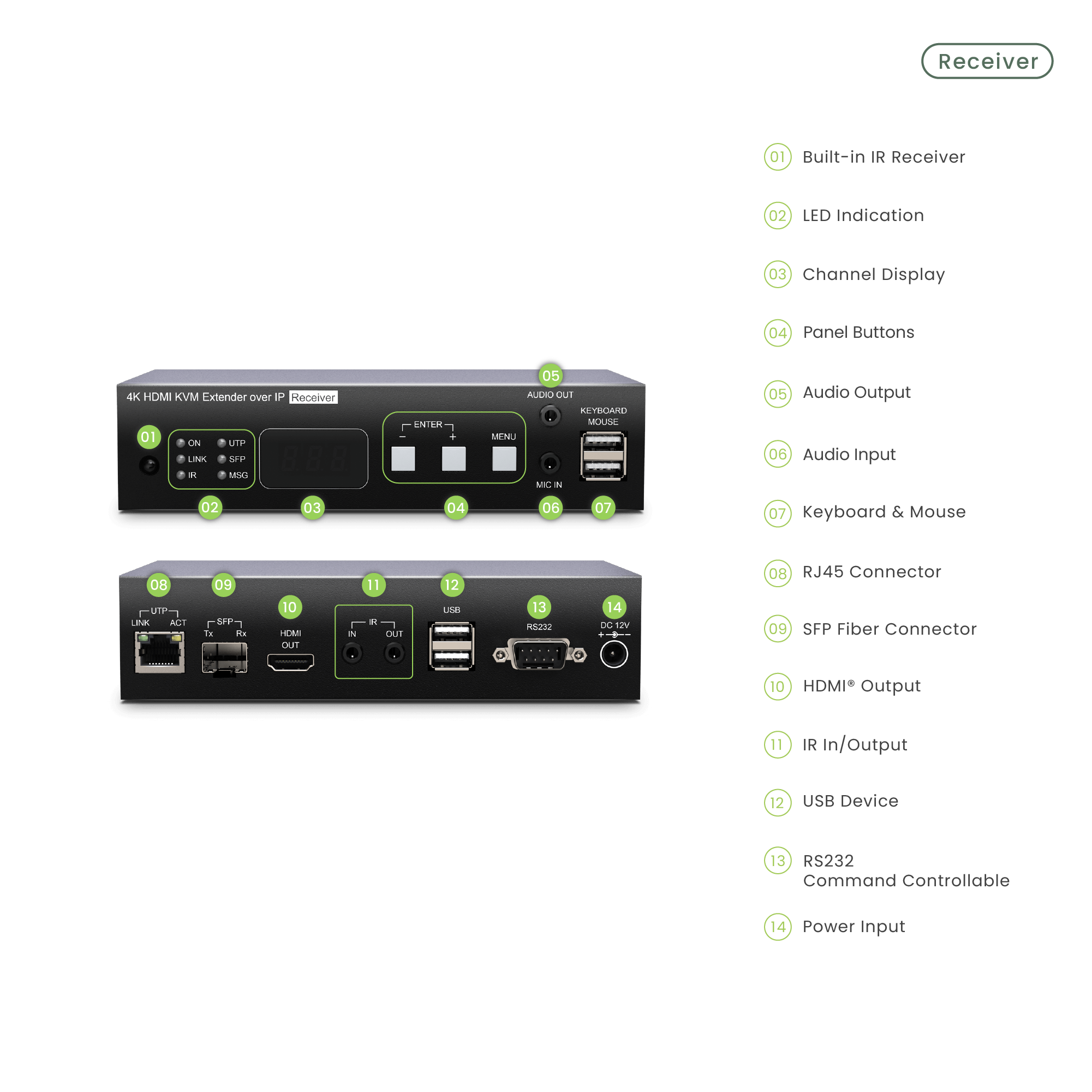
HDCP 2.2, USB 1.1, USB 2.0

Max. Video Resolution

4K@30Hz 4:4:4

Max. Transmission Distance

150M over CAT5e Cable or Greater

Audio Format

7.1 LPCM 192kHz, Dolby True HD, DTS-HD Master Audio, ATMOS, DTS:X

IR Support

20-60kHz , ±45°, 5M

Ports & Interfaces

Video Input

1 x HDMI Type A

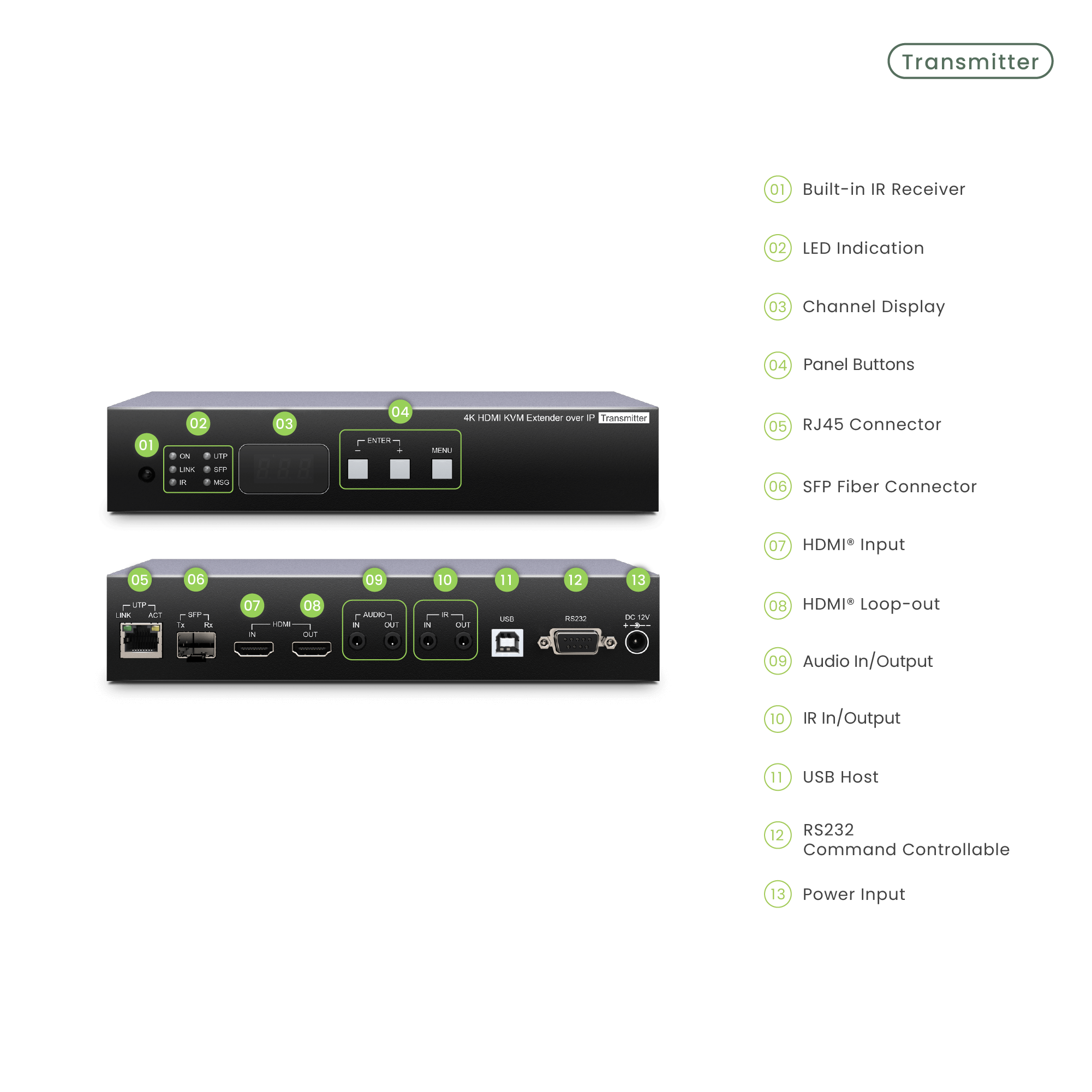
1 x RJ45

Video Output

1 x RJ45

HDMI Type A

Video Loop-out

1 x HDMI Type A

-

Analog Audio Input

1 x 3.5mm Stereo Phone Jack (Line In)

1 x 3.5mm Mono Phone Jack (Mic In)

Analog Audio Output

1 x 3.5mm Stereo Phone Jack (Line Out)

1 x 3.5mm Stereo Phone Jack (Line Out)

USB Interface

1 x USB Type B (USB 2.0)

2 x USB Type A (USB 1.1)
2 x USB Type A (USB 2.0)

IR Interface

1 x 3.5mm Stereo Phone Jack

1 x 3.5mm Stereo Phone Jack

RS232 Interface

1 x DB9 Female

1 x DB9 Male

Link Interface

1 x RJ45, 1 x SFP

1 x RJ45, 1 x SFP

Show More
Expand more

Get a Quote Today

Any questions about the product? Contact us by filling in the inquiry form in a few seconds, and get the quickest response from us!

Inquiry

As a manufacturer, we value the profit of our clients and do not have any online store. You can get the unpublished price from us through the inquiry button.

SEE other models

Integration of CCTV Cameras and AVoIP System for Interrogation Training Center in the UK

In order to obtain evidence/ information used in criminal proceedings, the UK police department has been delivering professional training like PACE (Police and Criminal Evidence) and ABE (Achieving Best Evidence) to UK police officers.

More
Close
HKM02B-4K

SwiftSync 4K HDMI® KVM & USB, RS232 , IR, Audio over IP Encoder/Decoder set

Thank you! Your request has been accepted. We look forward to getting in touch with you and hope you won’t find our email in the junk folder!
Oops! Something went wrong while submitting the form.

Cookies Consent

We aim to enhance your experience on our website and would love your help to do so!

By accepting the storage of cookies, you assist us in analyzing website usage and refining our marketing strategies. We use cookies only to enhance your browsing experience and remember your preferences on this site.

You have full control over your cookie settings and can modify them anytime in the Privacy Preference Center. For a comprehensive understanding of how we protect your privacy, please refer to our privacy policy.