AV Planning for Medical Simulation Centers: Recording, Live Observation, and Debriefing
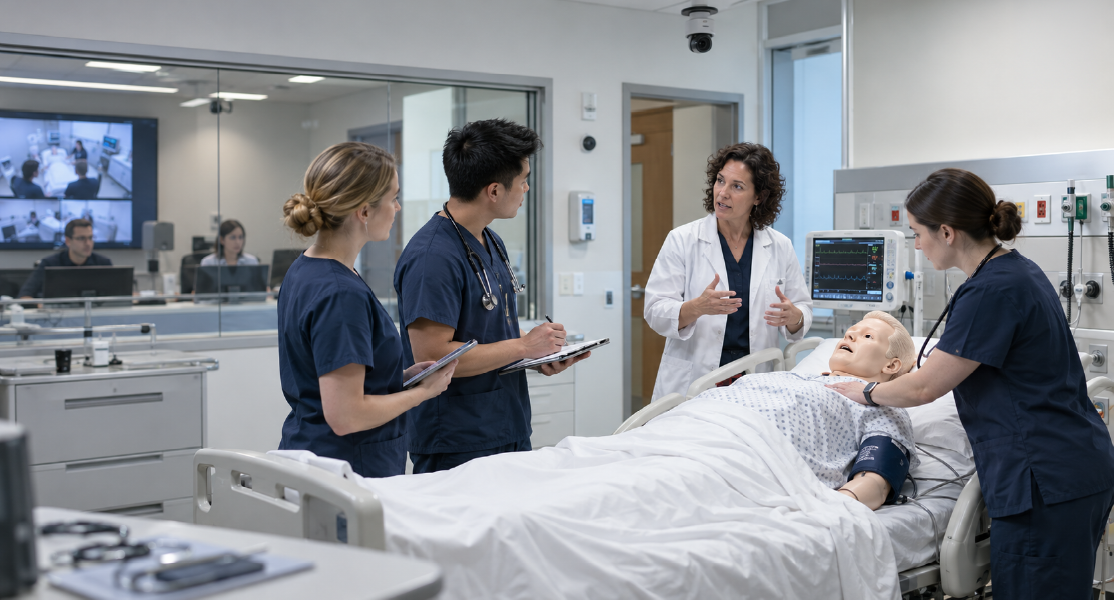
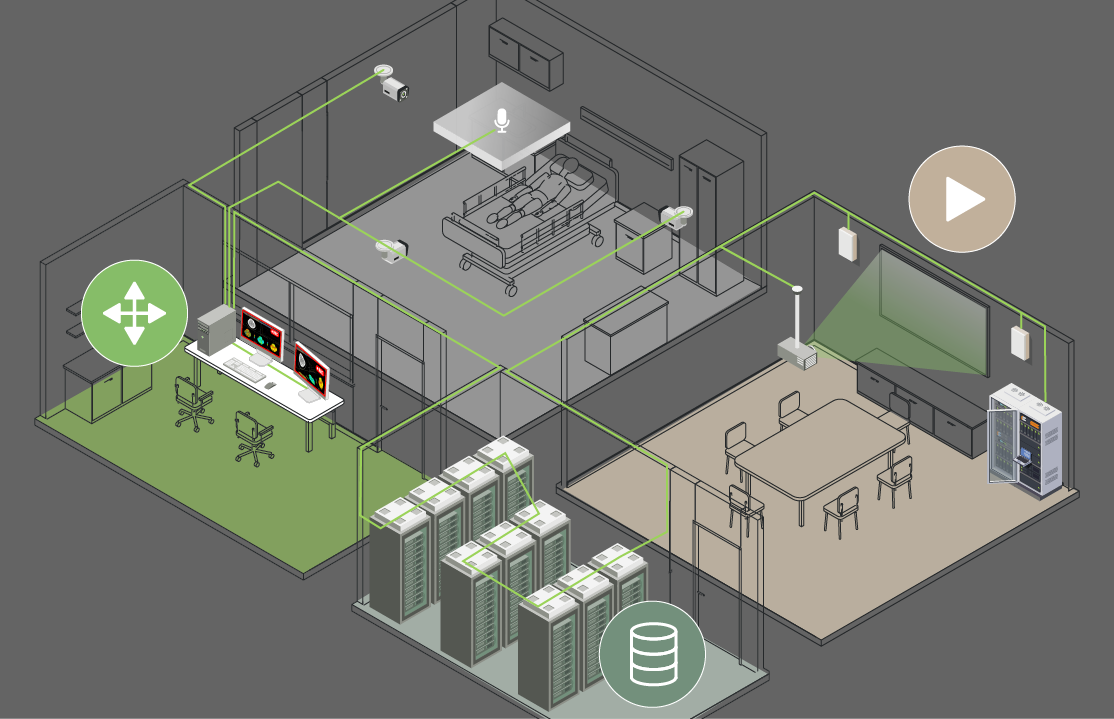
AV requirements in a medical simulation center go beyond recording a training session. In addition to room camera feeds and audio, a session may require recording patient vital signs, ultrasound images, or displays from other equipment. Some content may need to be sent to a control room or observation area for live viewing and later used during debriefing.
Start with the training workflow: identify what needs to be recorded, viewed live, or sent to other spaces, then define the signal and transport requirements for each use.
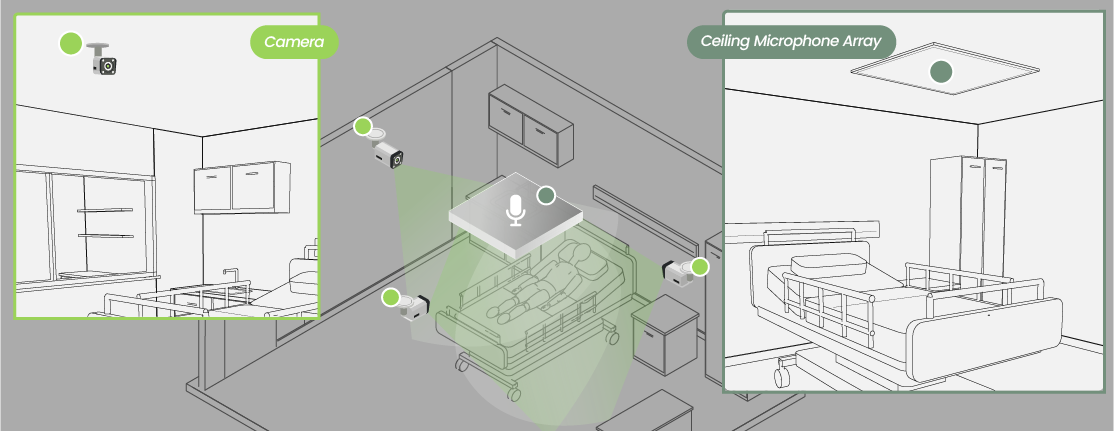
Plan Camera and Audio Coverage for the Training Scenario
Classroom recording often focuses on the presenter and teaching materials. Medical simulation may also need to capture participant interaction and hands-on procedures. Team communication training may prioritize clear dialogue, while technical skills training may require a closer view of specific actions and information displayed during the procedure.
Camera positions and angles should match the activities that need to be observed. Higher resolution cannot compensate for a blocked camera view. Audio coverage should include the main interaction areas and account for participant movement and equipment noise that may affect speech clarity.
Medical Device Displays May Also Need to Be Recorded
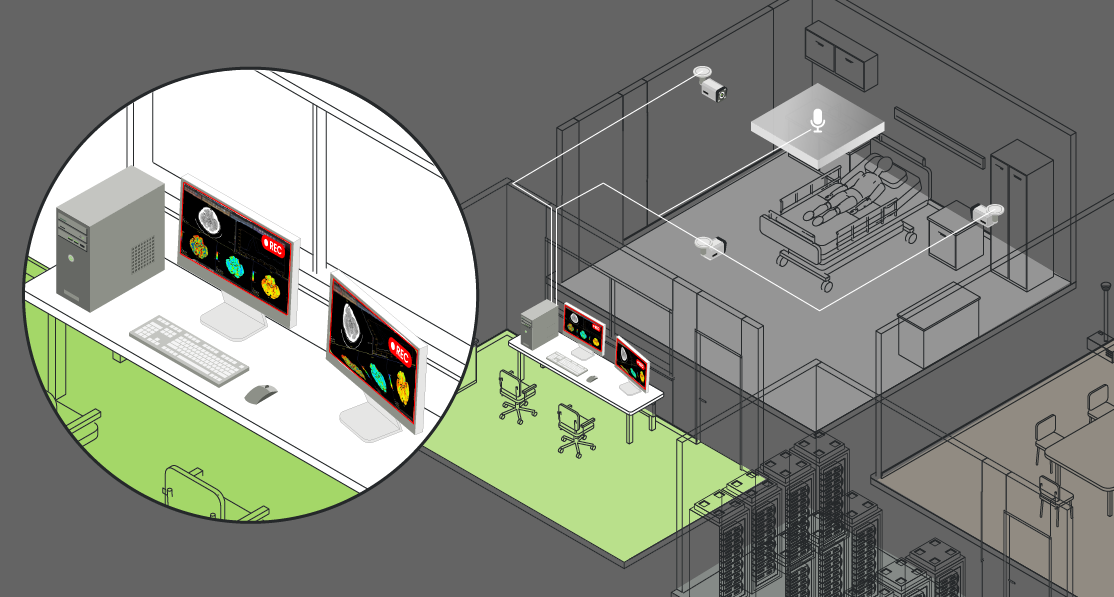
Room cameras can capture the procedure, but they may not clearly show the values and information participants see during the session. Depending on the training content, patient vital signs, electronic medical records, ultrasound images, or displays from other simulation equipment may also need to be recorded with the room video and audio. During debriefing, the procedure can then be reviewed alongside the information displayed at the time.
To record these displays, confirm the interfaces used by the source equipment and recording system, then check how many sources the system can receive at the same time. If inputs are limited, decide which sources need to be recorded continuously and which can be switched based on the training requirements.
Similar Device Counts Can Mean Different Network Requirements
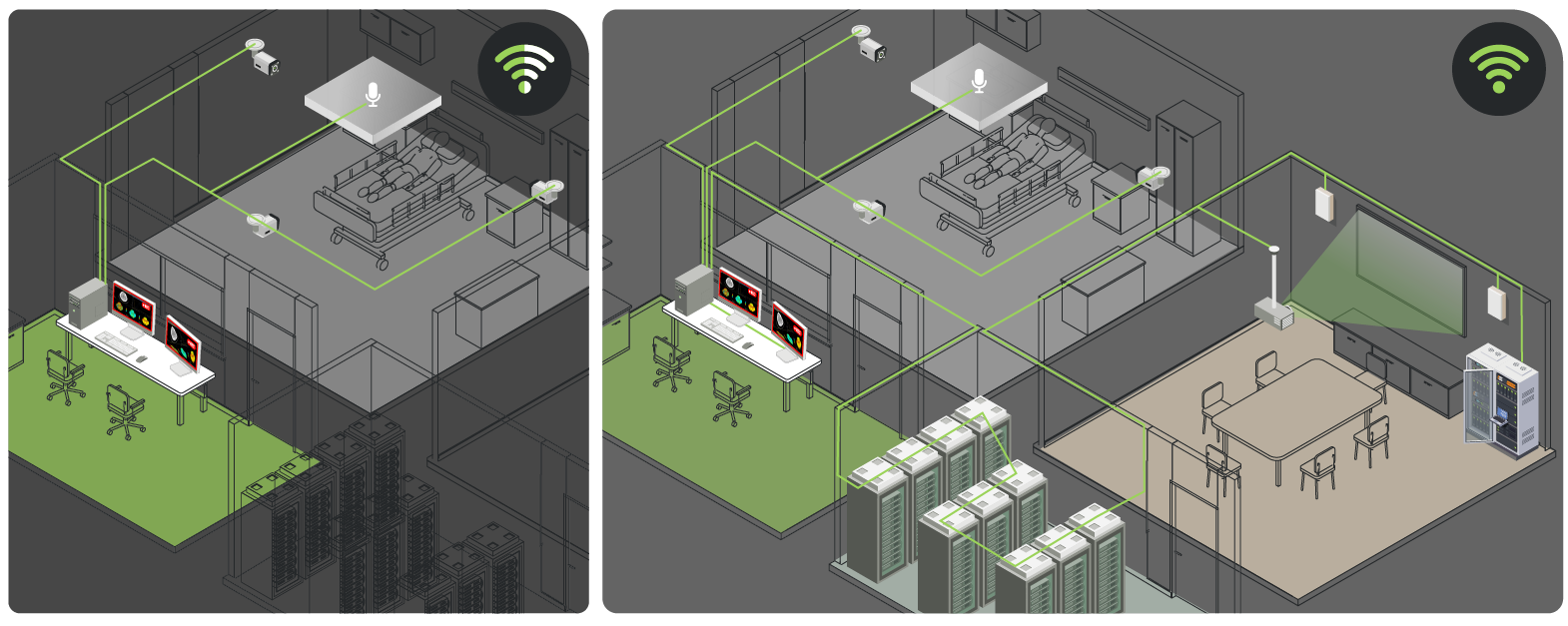
Two simulation rooms may use a similar number of cameras but still have different network requirements. One may mainly record sessions for debriefing. Another may also provide live viewing in the control room and send selected video to other training spaces.
When AV signals are transported over the network, actual load depends on how the content is processed and how much content is transmitted at the same time. Sending the same content to multiple locations can also affect network requirements.
Choose the Transport Method Based on Source and Receiver Requirements
Before selecting a transport method, confirm the signal source and interface, the number of receivers, and whether signals need to be switched between multiple sources and receivers:
For one HDMI source and one fixed receiver, HE02E supports point-to-point extension.
For one HDMI source and multiple receivers, HE04SEK supports 1-to-4 extension and distribution. For IP-based one-to-many distribution, consider HE03-4K.
For switching and distribution between multiple AV sources and receivers, the HKM02B Series can be paired with a 1G Ethernet switch.
Plan Equipment Placement and Cabling Together
Camera, microphone, and recording equipment placement all affect the cabling plan. If video also needs to reach a control room or other training spaces, confirm how those locations will be connected.
Before the room layout is finalized, mark the camera positions, recording equipment, and viewing locations on the same drawing. Then identify where cable routes and network connections are needed. This helps verify whether the equipment placement and signal paths support the intended use.
Recordings may capture participant performance and details of the training scenario. Viewing permissions, retention periods, and deletion procedures should follow institutional requirements. These requirements should also be considered when planning the recording system.
Check the AV System Against the Training Workflow
A medical simulation center may need to support session recording, live observation, and video display in multiple spaces at the same time. Place the signal sources, recording equipment, and viewing locations on the same system diagram. Then check which signals will be active at the same time and how they need to be transmitted between spaces.
The system architecture should reflect the training workflow rather than follow a fixed design. Identify when and where AV content is used, then select the transport method and equipment based on those requirements.
Thank you ! Your request has been accepted. We’re looking forward to getting in touch with you. You can expect our response within 3 days. If not, please double check your spam folder.
Oops! Something went wrong while submitting the form.
Thank you ! Your request has been accepted. We’re looking forward to getting in touch with you. You can expect our response within 3 days. If not, please double check your spam folder.
Oops! Something went wrong while submitting the form.
Thank you ! Your request has been accepted. We’re looking forward to getting in touch with you. You can expect our response within 3 days. If not, please double check your spam folder.
Oops! Something went wrong while submitting the form.
Thank you ! Your request has been accepted. We’re looking forward to getting in touch with you. You can expect our response within 3 days. If not, please double check your spam folder.
Oops! Something went wrong while submitting the form.
Cookies Consent
We aim to enhance your experience on our website and would love your help to do so!
By accepting the storage of cookies, you assist us in analyzing website usage and refining our marketing strategies. We use cookies only to enhance your browsing experience and remember your preferences on this site.
You have full control over your cookie settings and can modify them anytime in the Privacy Preference Center. For a comprehensive understanding of how we protect your privacy, please refer to our privacy policy.