
USB Device Not Recognized? Troubleshooting USB Extenders and KVM Systems
A USB device may work normally when connected directly to a computer but stop working after a USB extender or KVM system is added.

SC&T compared HDBaseT 3.0, SwiftSync, and H.265 technologies in real-world 4K60 transmission tests to determine which delivers the best HDMI extender performance. This report summarizes latency, image quality, and stability evaluated in our recent video with added visuals and data tables to help integrators and engineers choose the most suitable solution for their projects.
In professional AV integration, extending HDMI signals over long distances while maintaining low latency and clear image quality is always a challenge.
To find out how different technologies really perform, we conducted a side-by-side real-world test using three popular solutions:
A side-by-side comparison shows how each technology performs under the same conditions, and helps users find the best HDMI extender for their needs, whether it’s for meeting room AV, control center, or remote work station.

We created a controlled testing environment to mirror real-world scenarios such as meeting rooms and control centers.
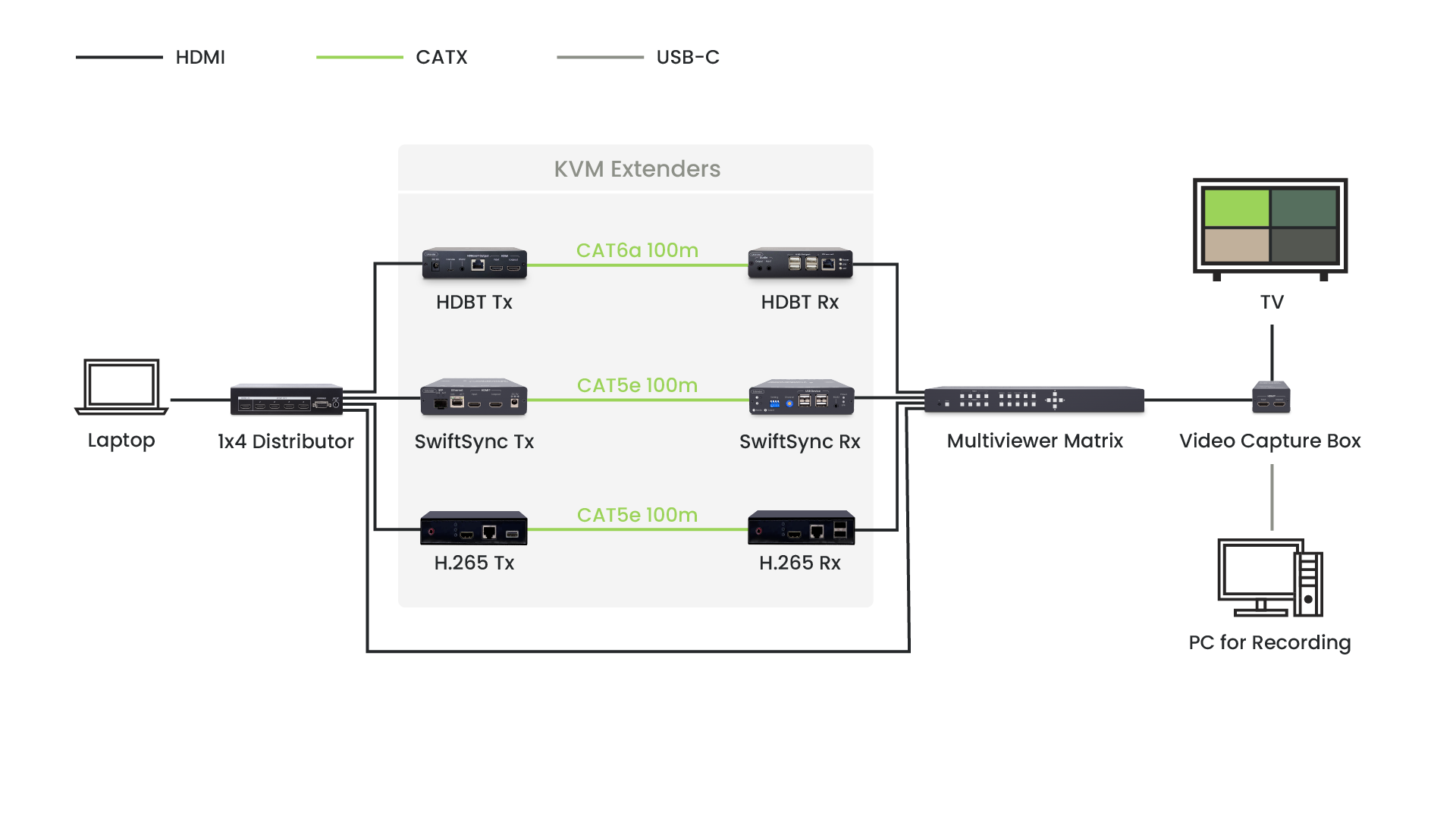
Equipment Tested:
Setup:
This setup ensures every extender faces the same transmission distance, resolution, and testing conditions.
Latency defines real-time usability, which is crucial for KVM operations, presentations, and interactive displays. We tested latency in three ways: Timestamp comparison, mouse response, and window drag performance.
We displayed digital timers showing milliseconds on both the source and receiver screens to measure transmission delay visually.
Watch the video clips and pause anytime to spot the differences frame by frame.
HDMI Extender 100m Latency Test | HDBaseT vs SwiftSync (4K30) vs H.265
HDMI Extender 100m Latency Test | HDBaseT vs SwiftSync (4K60) vs H.265

When quickly moving the mouse, cursor alignment was compared frame-by-frame. Dragging windows across the screen further highlights the delay.
Watch the mouse in action and see which extender keeps up.
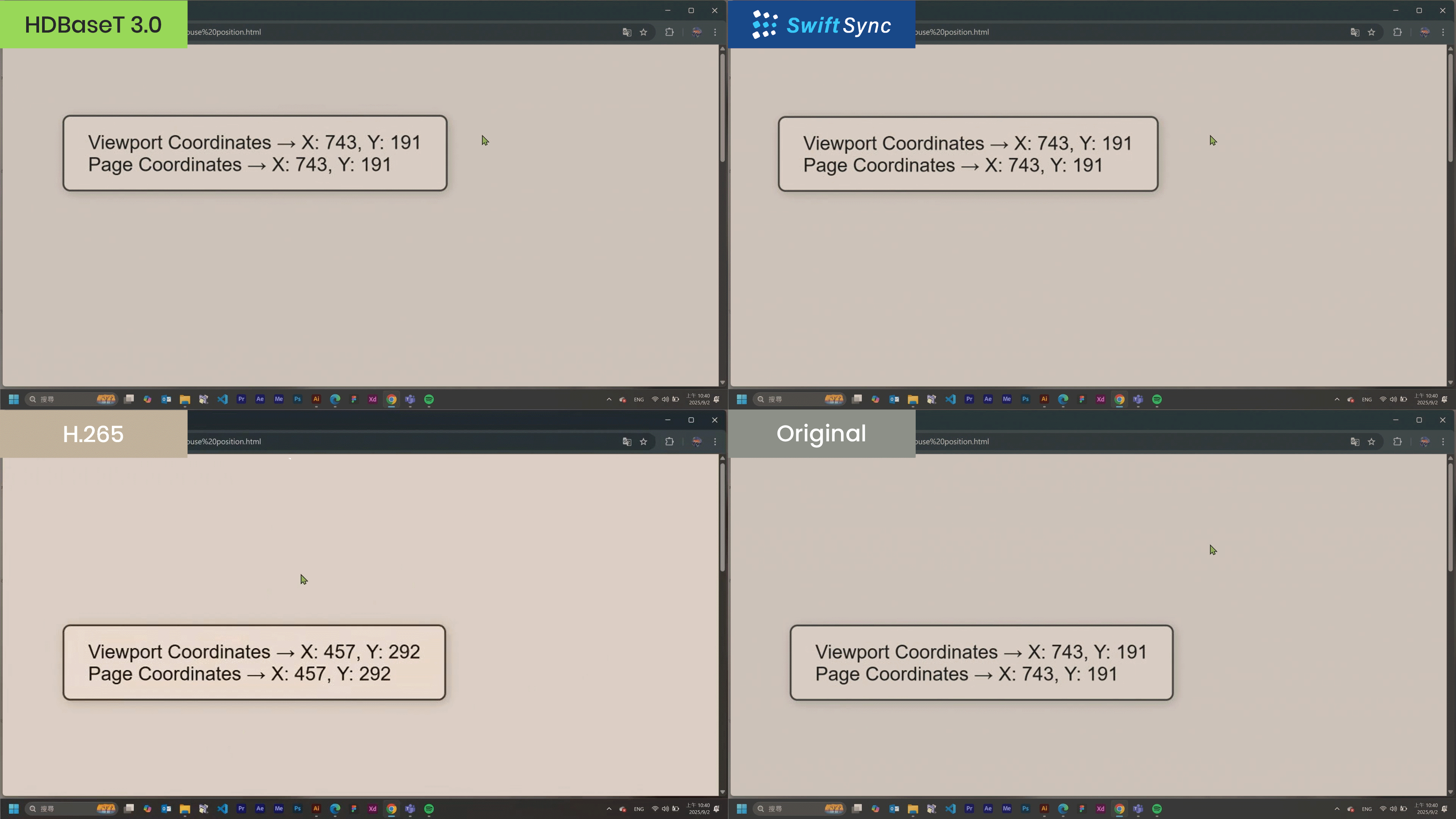
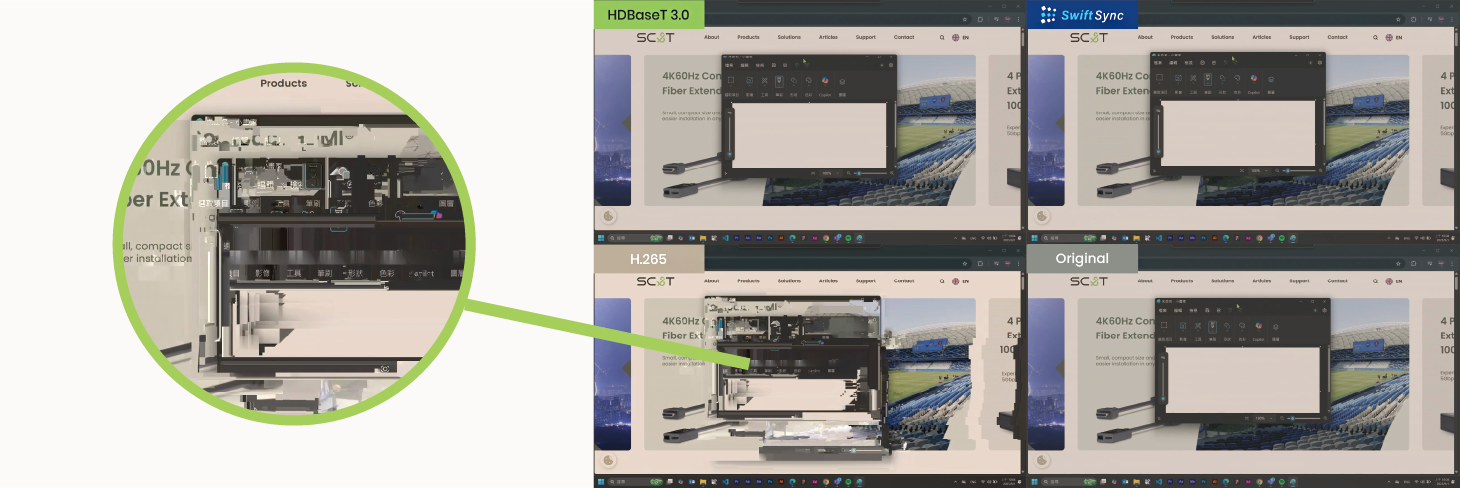
For any interactive setup, such as remote desktops, live switching, or control stations, HDBaseT 3.0 and SwiftSync clearly outperform H.265.
Latency simulator for you to experience on your device: https://www.skytopia.com/stuff/lag.html
Video clarity and color accuracy are just as important as speed. We tested each system in both static and moving scenes to check for compression artifacts.
See how each HDMI extender performs at 4K60/4K30 over 100 meters.
HDMI Extender 100m Performance Test | HDBaseT vs SwiftSync (4K30) vs H.265
HDMI Extender 100m Performance Test | HDBaseT vs SwiftSync (4K60) vs H.265
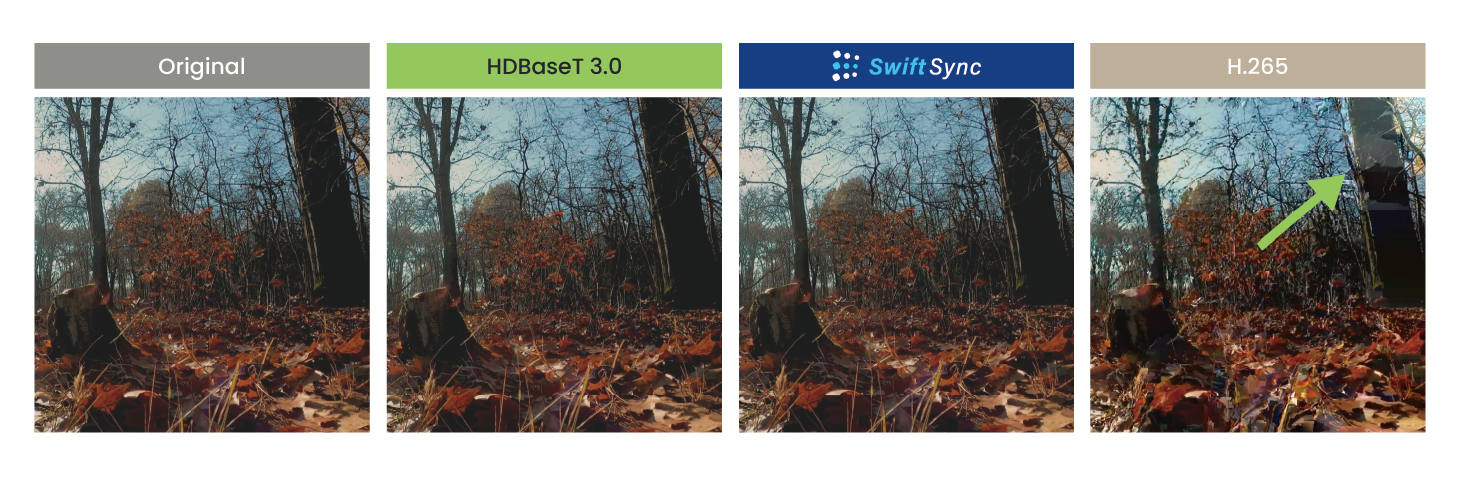
HDBaseT 3.0 delivers the best overall image quality. SwiftSync follows closely, offering impressive sharpness for its bandwidth. H.265 is best reserved for non-critical viewing or streaming.

This test demonstrates how transmission technology directly affects real-world user experience. While HDBaseT 3.0 leads with zero-latency, uncompressed performance, SwiftSync proves to be a strong, cost-efficient alternative for most 1G environments. Meanwhile, H.265 continues to serve well for surveillance and remote streaming applications where bandwidth is limited.
At Smart Cabling & Transmission (SC&T), we continue to innovate reliable transmission solutions that meet diverse AV integration needs.
For detailed visuals and live comparison footage, watch our full test video on YouTube.
Copyright © SC&T. All rights reserved. No part of this website may be reproduced or distributed without prior written permission.
A USB device may work normally when connected directly to a computer but stop working after a USB extender or KVM system is added.
AV requirements in a medical simulation center go beyond recording a training session. In addition to room camera feeds and audio, a session may require recording patient vital signs, ultrasound images, or displays from other equipment. Some content may need to be sent to a control room or observation area for live viewing and later used during debriefing.
PoE, PoE+, and PoE++ all carry network data and DC power over an Ethernet cable. The main difference is the amount of power they can deliver. Basic PoE works for many low-power devices, such as IP phones and some PoE IP cameras. PoE+ provides more power and is commonly used for PTZ cameras and wireless access points. PoE++ uses IEEE 802.3bt Type 3 or Type 4 to power network devices with higher power requirements.

1. All specifications are subject to change without notice.
2. Brand and product names mentioned are trademarks of their respective companies.
3. The terms HDMI, HDMI High-Definition Multimedia Interface, HDMI Trade dress and the HDMI Logos are trademarks or registered trademarks of HDMI Licensing Administrator, Inc.


