A Practical Guide to Balancing Image Quality, Latency, and Infrastructure Budget
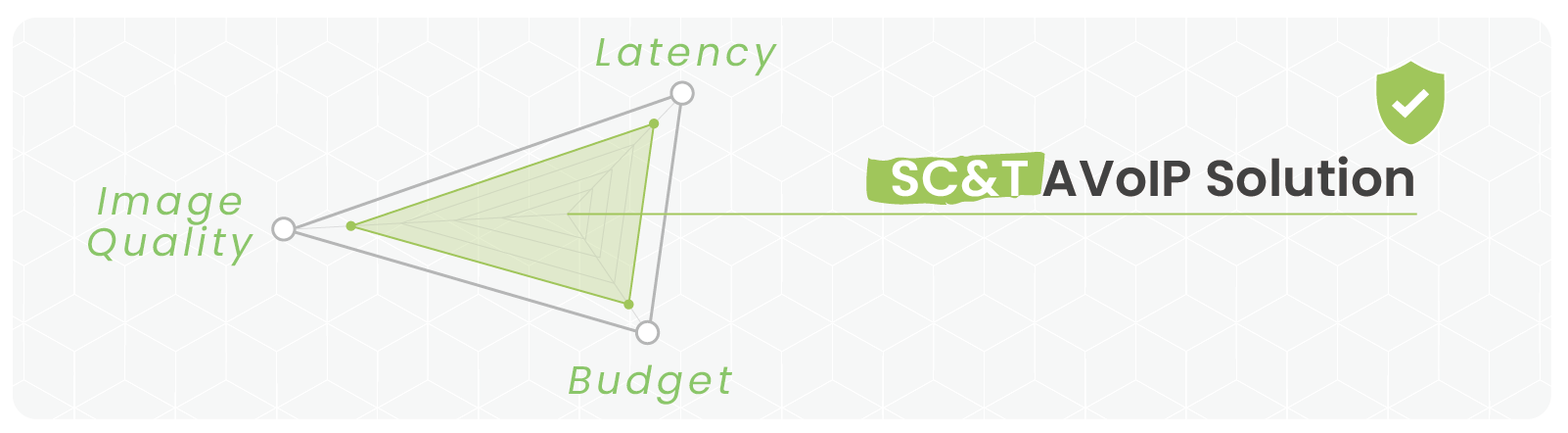
Every system integrator (SI) knows the frustration of dealing with chaotic AVoIP product specs. Trying to find the perfect hardware often feels like an endless headache. To get the best results on-site, you need to navigate the "Triple Balancing Act" of image quality, latency, and hardware budget.
Here is how the math usually plays out on the field:
High Image Quality + Zero Latency: Expect a massive hit to your project budget.
High Image Quality + Low Budget: You will have to live with noticeable lag.
High Image Quality + Low Latency + Balanced Budget: The SC&T AVoIP Solution.
This guide breaks down AVoIP transmission technologies and system architectures. We also dive into critical real-world features like KVM, video walls, audio routing, and network security to help you choose the exact AVoIP products your next project demands.
Get Your Free Copy: SC&T has created a downloadable AVoIP Requirements Evaluation Checklist. You can hand this sheet directly to your suppliers to confirm your needed specs, saving you days of back-and-forth communication haggling.
1. Video Quality & Network Architecture: The Core Foundation
Compression: Find Your Balance Between Clarity and Lag
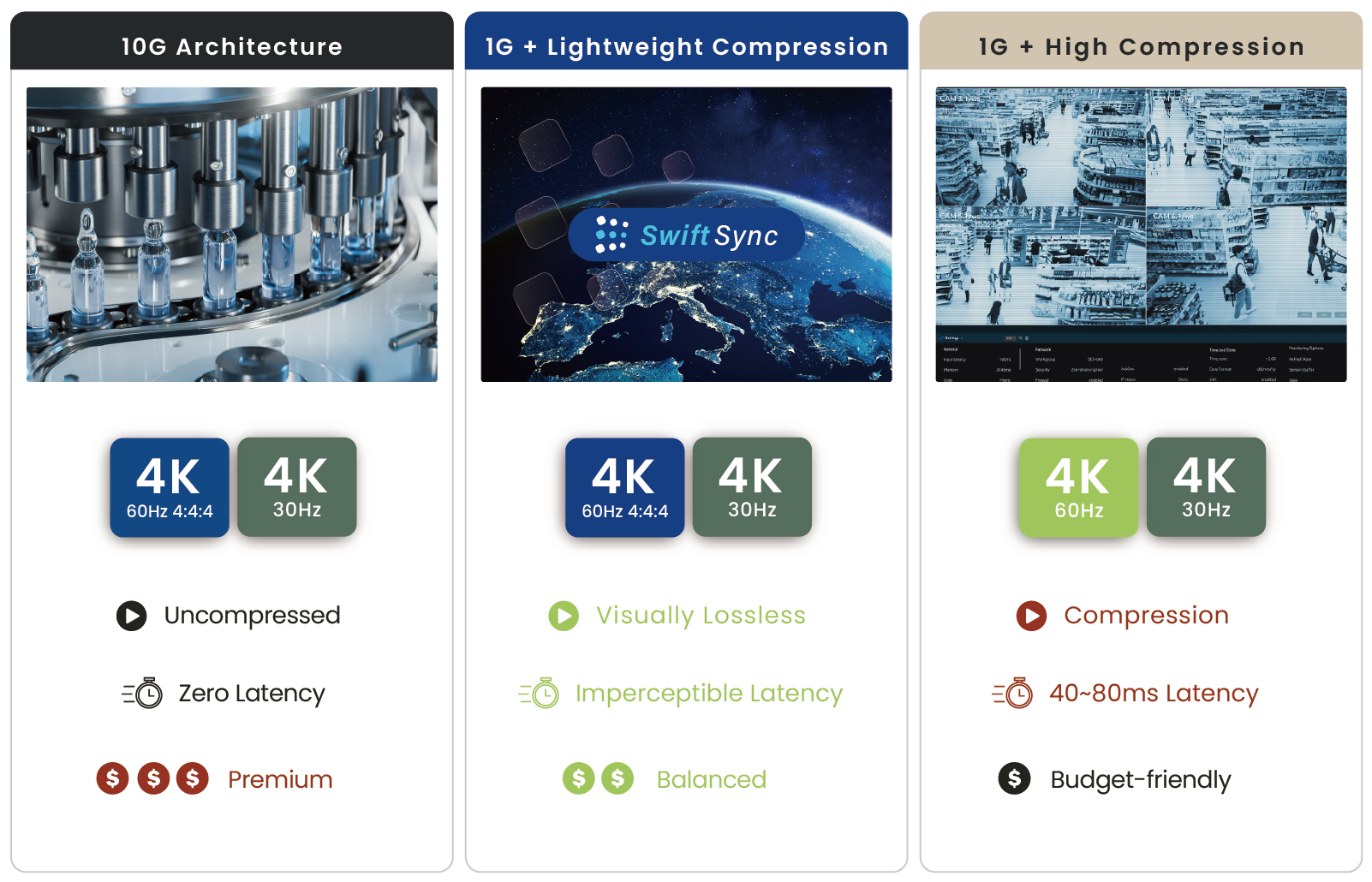
What is the difference between 1G and 10G AVoIP compression? Choosing the right compression method dictates both your cabling budget and user experience. AVoIP hardware generally falls into three main technological categories:
10G Architecture (Uncompressed / Zero Latency): Supports pure 4K60 4:4:4 video. However, the hardware and 10G switch costs are exceptionally high. This setup is strictly reserved for medical imaging or high-end commercial cinemas.
1G + High Compression (H.264 / H.265): Offers the lowest bandwidth requirement and easily crosses network segments. The major downside is a severe encoding delay (100ms+), making it highly frustrating for real-time mouse or keyboard operations.
1G + Lightweight Compression (JPEG2000 / SwiftSync): Our top recommendation. This approach provides visually lossless quality and ultra-low latency (30ms~40ms), ensuring fluid, real-time KVM remote control over standard networks. While most products in this class (like Dante Video) utilize JPEG2000, there are subtle differences in efficiency.
Transmission Media & Distance: Cat6a Copper vs. Single-Mode Fiber
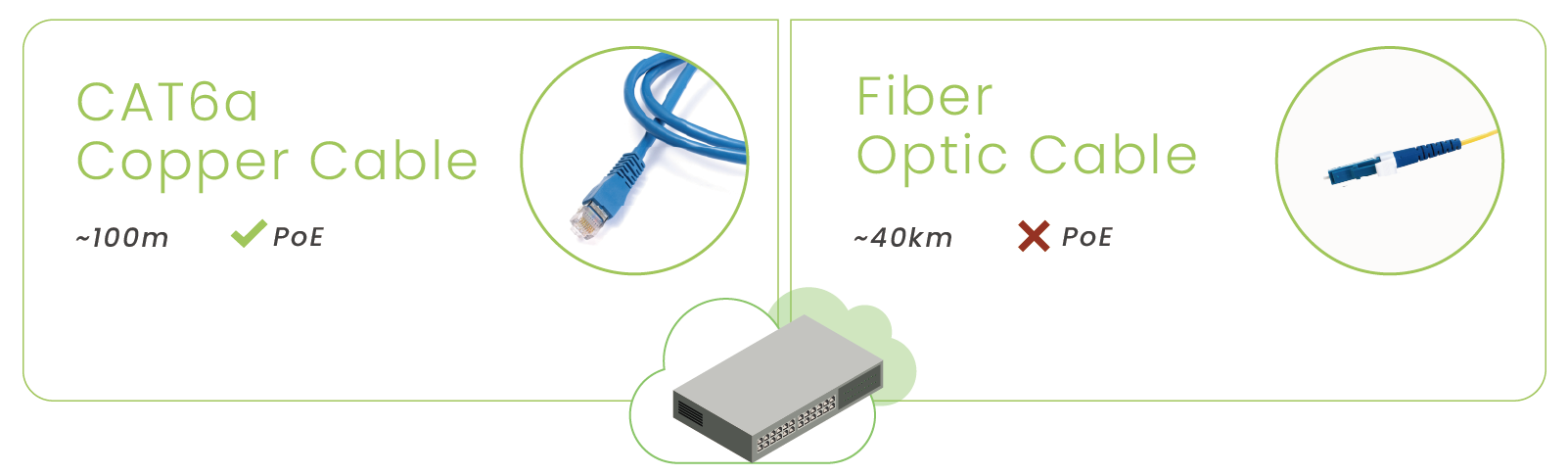
Your physical site constraints always dictate your cable selection. SIs typically deploy systems using one of two media types:
CAT6a Copper Cables: Supports convenient PoE (Power over Ethernet) power supply, making it the easiest option to install on-site. It is limited to a $100\text{m}$ distance run, making it ideal for small-to-medium corporate offices.
Fiber Optic Cables: Provides total electromagnetic interference (EMI) resistance, zero electrical conductivity, and carries signals over several kilometers. Fiber does not support PoE and requires local DC power at the endpoint, making it perfect for multi-floor buildings, industrial factories, and campus environments.
On-Site Planning Tip: For indoor office spaces, stick to CAT cabling to leverage PoE and keep your deployment simple. For factories or multi-floor campuses, run single-mode fiber for your backbone infrastructure. This solves long-distance drops and future-proofs the site without requiring a costly re-cabling job later.
Bandwidth and Switch Selection: 1G vs. 10G
When planning an AVoIP infrastructure, your bandwidth choices directly impact your profit margins and installation risks:
The High Cost of 10G Zero-Latency: 10G systems deliver microsecond-level latency and uncompressed video—perfect for broadcast studios or surgical rooms. However, the per-port cost of a 10G switch is heavily expensive, and the strict cabling environment adds a massive burden to budget-conscious projects.
The Bottlenecks of Traditional 1G (H.264/H.265): Standard 1G systems are highly popular due to low switch costs and deployment flexibility. Unfortunately, traditional codecs create a lag of 100ms ~ 250ms+. When an operator tries to use a mouse (KVM) or run an interactive video conference, they will experience annoying cursor drag and stuttering.
The New 1G Standard (SC&T SwiftSync Technology): To eliminate the pain points of 1G lag and 10G costs, SC&T developed SwiftSync technology. It operates on standard, budget-friendly 1G switches while dropping latency down to an unnoticeable 30ms ~ 40ms. You get the smooth responsiveness required for 90% of KVM and real-time AV setups without paying for expensive 10G network gear.
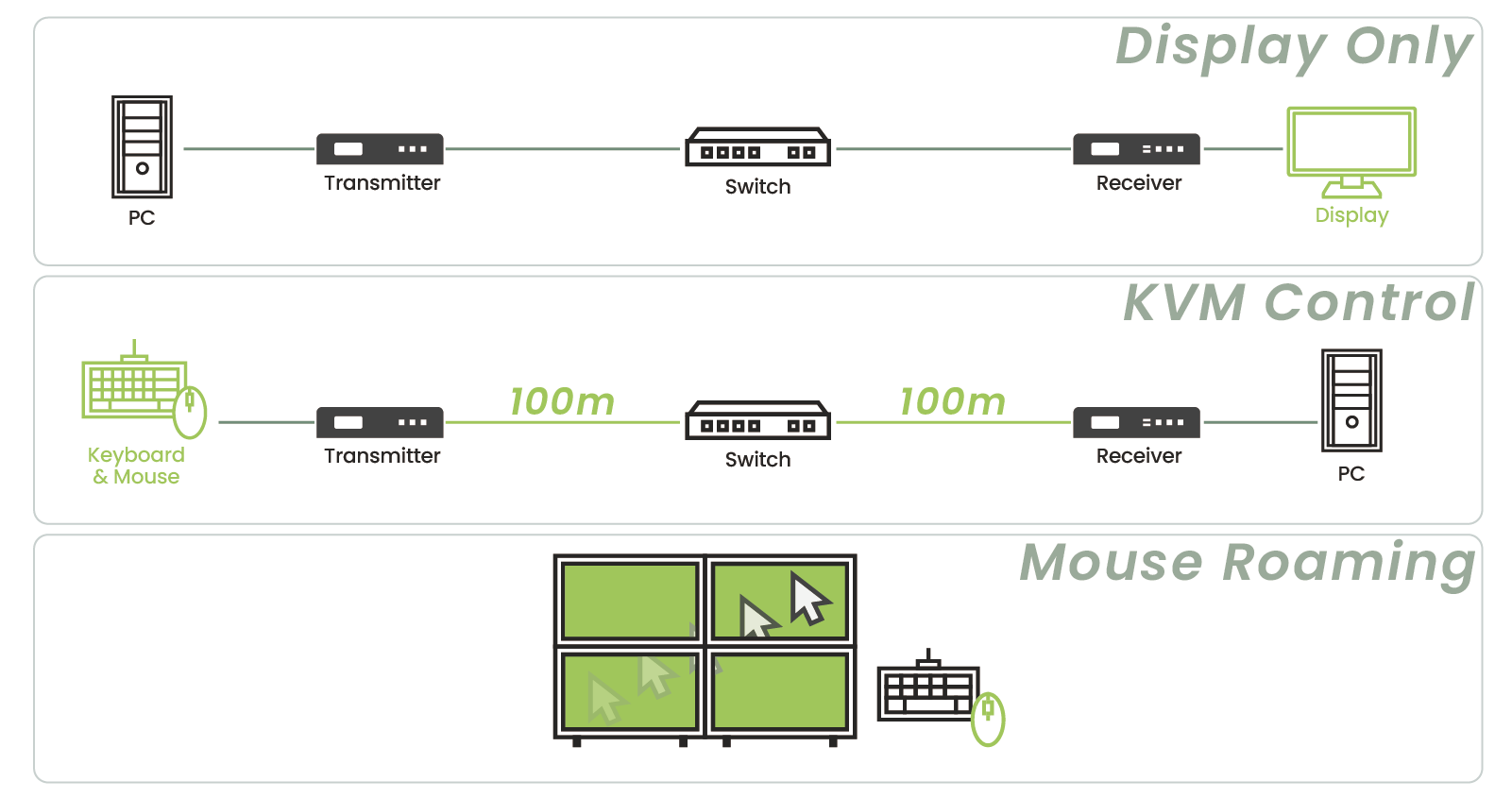
In an AVoIP network, USB transmission determines whether your system can handle interactive, two-way tasks.
One-Way Display Only: No KVM required. Best for digital signage, retail ads, and public information boards.
Standard KVM Control: Allows operators to control remote servers or PCs from a comfortable workspace, keeping them out of noisy server rooms. Ideal for corporate offices and classrooms.
Advanced Mouse Roaming: Enables operators to move a single mouse cursor seamlessly across multiple monitor boundaries to control different hosts. Essential for command centers, traffic dispatch centers, and security war rooms.
Video Walls and Scaling Capabilities
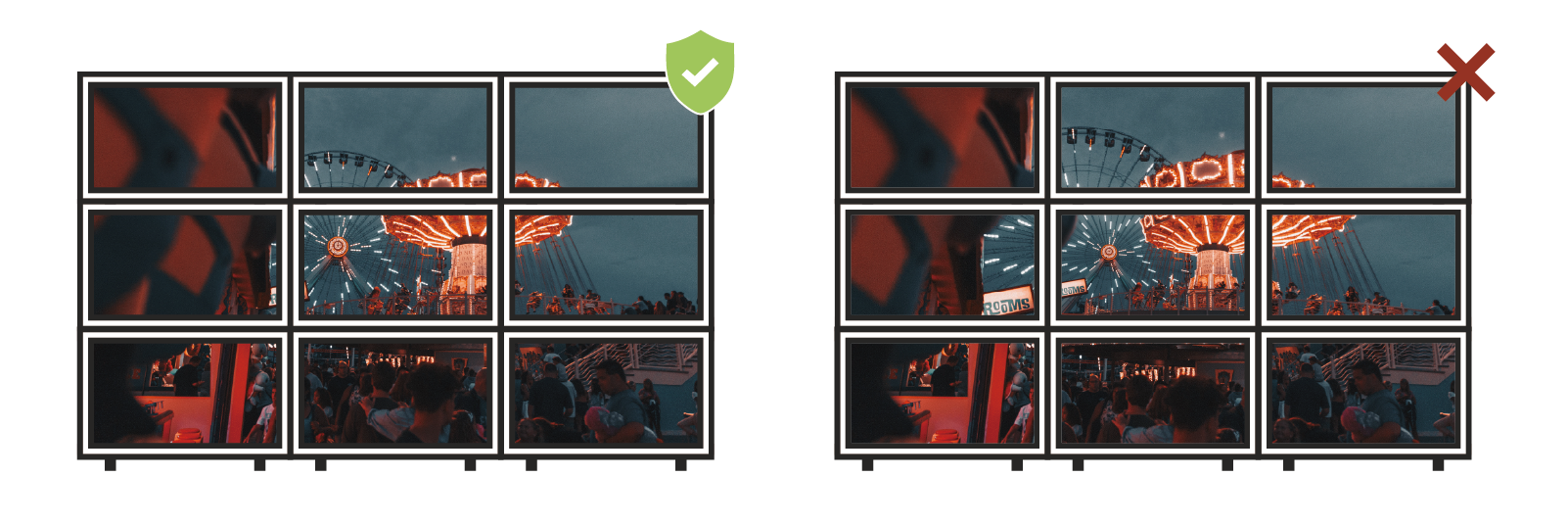
Built-in Video Wall Processing: Premium receivers (RX) feature built-in cropping and bezel compensation settings. You can set the exact display bezel widths directly in the system configuration to prevent image distortion or stretching across large screens—no expensive external video wall processors required.
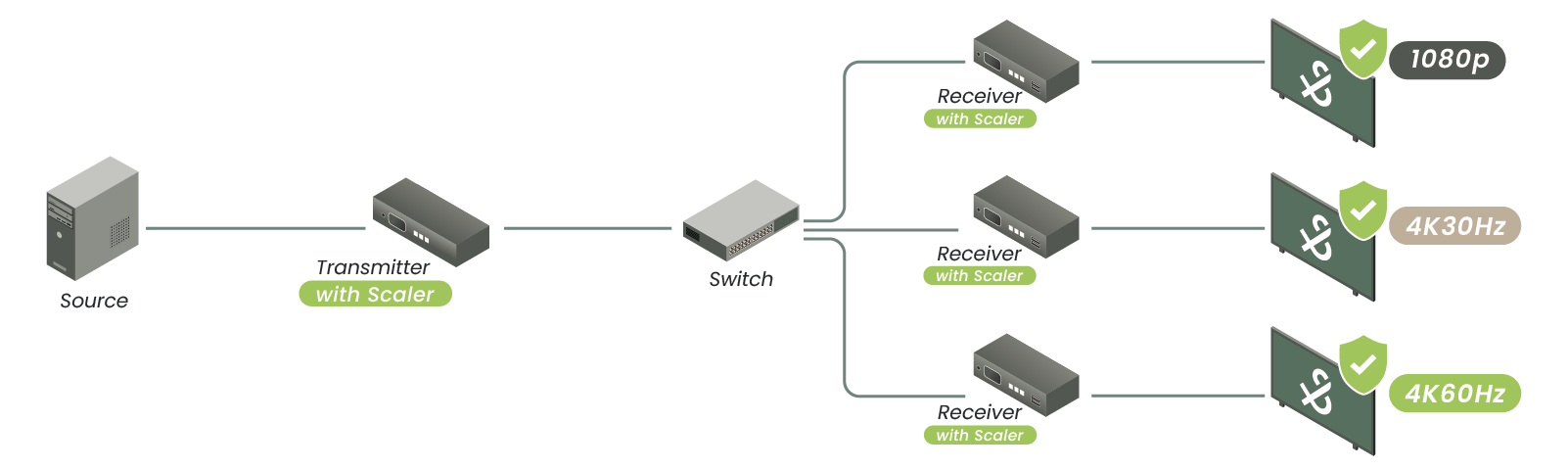
Integrated Scalers: Avoid black screens, flashing displays, or incorrect aspect ratios when mixing different monitor brands, projectors, and guest laptops on the same network.
Mixed Monitors: If your job site mixes a newer 4K display with an older 1080p screen, a built-in scaler automatically adjusts the signal to each monitor's native resolution.
Projector & TV Integration: Projectors frequently use distinct widescreen resolutions (such as WUXGA, 1920 X 1200). A scaler fine-tunes individual receiver outputs so projectors don't suffer from stretched images or sync flickering.
BYOD Laptop Inputs: Guest presenters bring all sorts of unexpected laptop outputs. An integrated scaler acts as a buffer, instantly converting erratic signals into a format the local display accepts, speeding up switching times.
Audio Handling: De-Embedding and Independent Routing
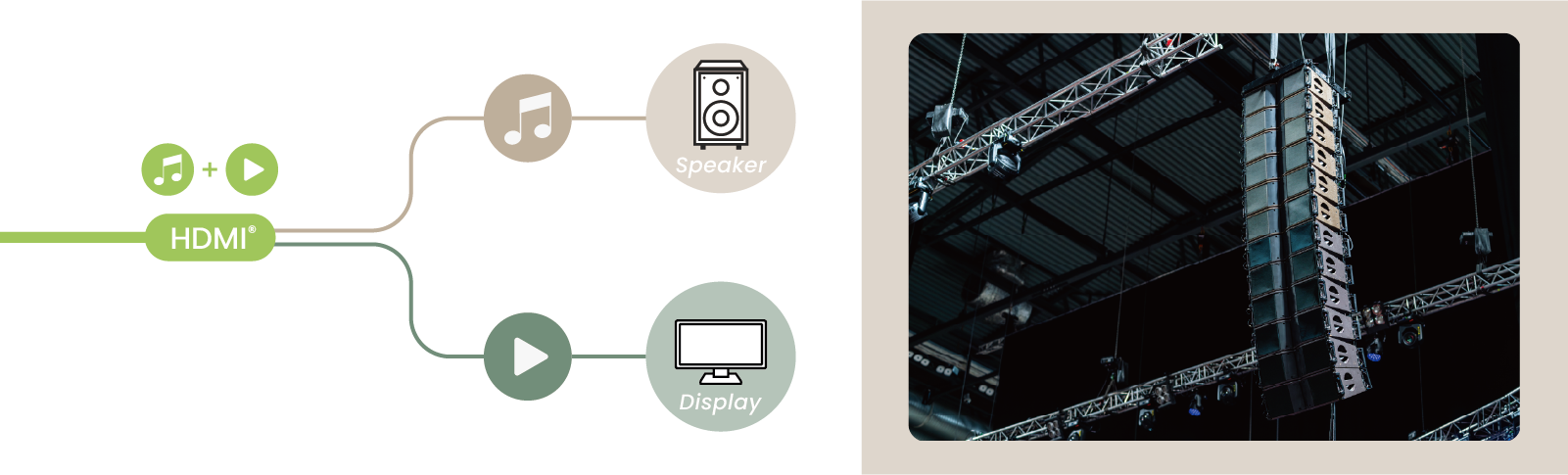
Audio shouldn't be trapped inside an HDMI signal. Professional-grade hardware gives you the flexibility to route audio independently, especially when working with external sound systems:
Audio De-Embedding: Extracts the audio signal out of the HDMI stream, allowing you to route video directly to the display while sending the sound separately to an external amplifier or active speakers.
Standard Offices: If the setup relies entirely on the display’s built-in TV speakers, you do not need special audio extraction.
Auditoriums & Boardrooms: Audio de-embedding is mandatory. You must route the audio stream into a central mixing console or professional amplifier.
Multi-Zone Venues (Malls/Event Halls): Look for gear supporting independent audio routing, allowing you to mix and match different video and audio sources flexibly across the same network. SIs often deploy an extra dedicated decoder on-site to act as an audio extractor, routing sound through audio cards into pro-audio systems or standard 3.5mm jacks.
3. Control Ecosystems & Software Integration
Manage Options via API, Web GUI, and Third-Party Central Control
A truly reliable system provides multiple tiers of control to simplify installation and troubleshooting:
Local Control (Hardware Buttons & IR Remotes): For straightforward point-to-point setups, physical buttons on the chassis or an IR remote offer immediate control. This requires zero network configuration and serves as your first line of defense for on-site debugging and emergency overrides.
Engineering Control (Web GUI & Mobile Apps): SIs can use a clean Web GUI for deep system configuration, while end-users can leverage an intuitive smartphone app for daily channel switching.
Enterprise Integration (API & RS-232 Protocols): Full support for API commands and RS-232 pass-through allows seamless integration with major third-party control systems like Crestron, Extron, and AMX.
4. Physical Interfaces & Power Management
Input Specs: The Importance of HDMI 2.0 & USB-C (Alt Mode)
The interface layout on your Transmitter (TX) determines how user-friendly the system feels to the client:
HDMI 2.0: The baseline requirement for stable 4K60 4:4:4 video transmission.
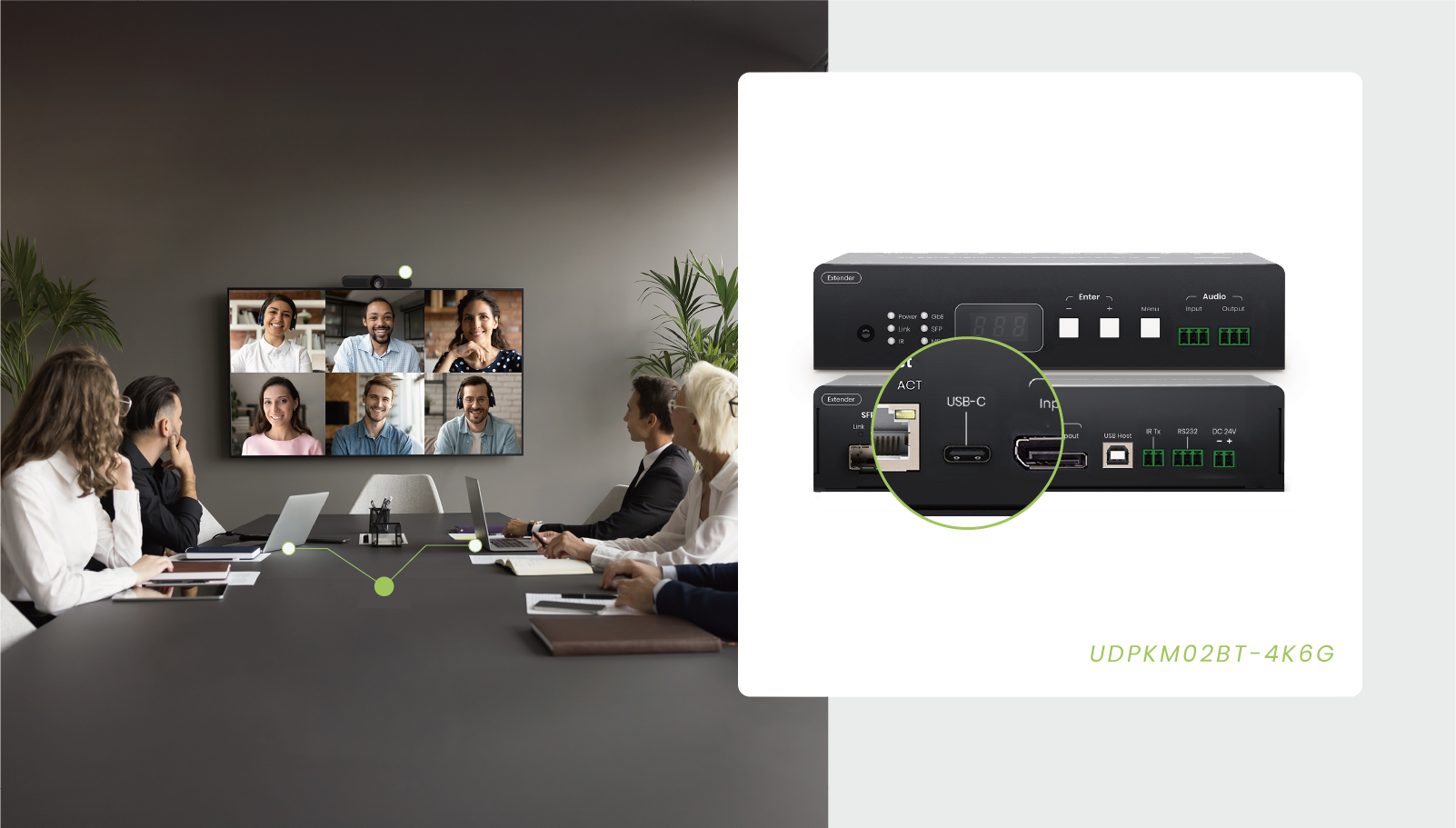
USB-C (DP Alt Mode): Carries 4K video, audio, data, and reverse power charging over a single cable. It completely eliminates messy conference tables for Bring Your Own Device (BYOD) meetings.
On-Site Recommendation: Installing a USB-C-supported wall plate transmitter directly inside conference rooms or podiums maximizes user convenience and keeps the desktop completely clutter-free.
Power Solutions: PoE vs. Local DC Power Supplies
How you power your AVoIP devices impacts your labor costs, installation speed, and long-term maintenance:
PoE (Power over Ethernet): Delivers both AV data and electrical power through a single network cable. When installing a Receiver (RX) hidden behind a high ceiling projector or a flat-panel display, you don't need to hire an electrician to run a new AC outlet. Furthermore, you can remotely reboot frozen devices directly from the PoE switch management dashboard.
Local DC Power: Provides a dedicated physical power port on the unit. If your network switches do not support PoE, or if an endpoint requires massive wattage (such as a transmitter providing high-power USB-C Power Delivery charging to laptops), local DC power is necessary. Utilizing local power for critical display zones also lightens the load on your core network switch, preventing a switch failure from knocking out the entire building's displays.
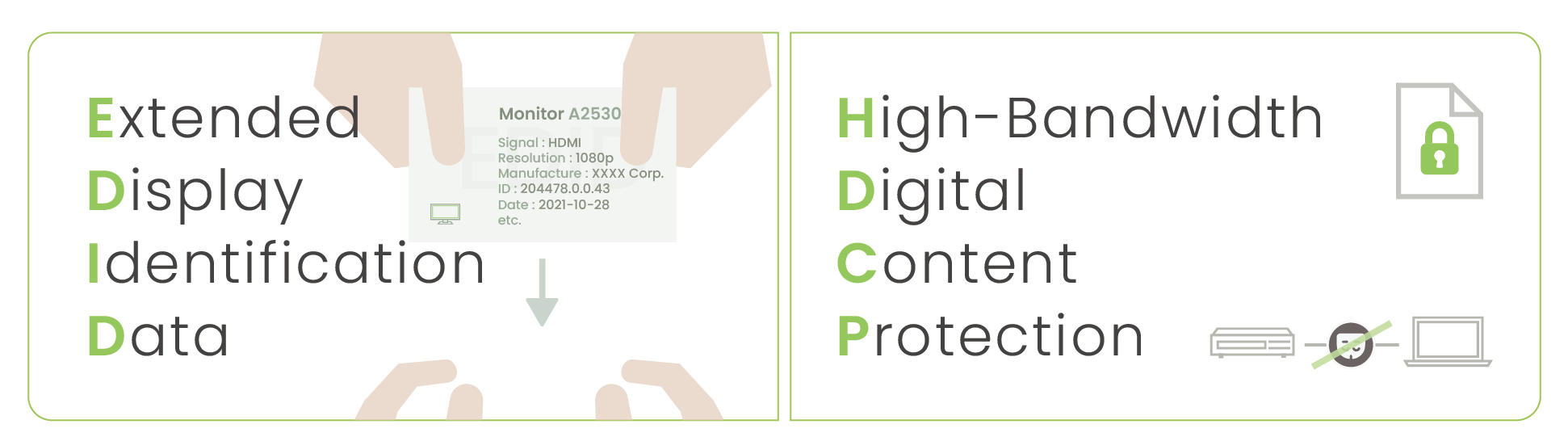
If the network network acts as the blood vessels of an AVoIP system, EDID and HDCP are the communication protocols ensuring your devices actually speak the same language.
EDID Emulation: Eliminates multi-screen resolution conflicts. It forces the source to output a compatible signal, guaranteeing that mismatched displays all show a picture.
HDCP Handshaking: Manages digital copyright handshakes instantly, significantly cutting down on the annoying "black screen delay" when switching video sources. (Note: Standard SC&T AVoIP switching takes around 3 seconds, but we also offer seamless switching architectures. Reach out to our team to find the right fit for your layout).
HDCP 2.2: Protects 4K commercial content from illegal recording or broadcasting.
AES Encryption: Encrypts raw data streams traveling across the network to stop corporate espionage or data interception.
802.1X Authentication: Provides strict port-level access control to block unauthorized rogue hardware from plugging into the network switch. (Note: Standard SC&T AVoIP devices focus on closed-network stability and do not natively support 802.1X).
Streaming Protocol Compatibility: When Do You Need RTSP?
RTSP (Real-Time Streaming Protocol) is a universal standard based on H.264/H.265 compression. Unlike proprietary AVoIP ecosystems that require matching hardware receivers, an RTSP stream can be read directly by third-party software (like VLC Player, OBS Studio) or security hardware (like an NVR).
When is RTSP mandatory? If your client needs to push live video feeds directly to an NVR for security archiving, stream out to YouTube Live, or monitor a room via a mobile app, RTSP is the bridge you need.
Closed Control Rooms: If video stays strictly within an internal, closed-loop network with zero external access required, you can skip RTSP.
Security Archiving & Multi-Zone Monitoring: RTSP becomes a core requirement, allowing your pro-AV system to interface perfectly with IT and CCTV infrastructure without adding extra signal converters. (Note: Standard SC&T AVoIP lineups focus on maximum point-to-point performance and do not output concurrent RTSP streams).
Before You Go: Download Your On-Site Troubleshooting Checklist
We have packed the core takeaways of this guide into a handy, field-ready PDF guide, complete with a practical AVoIP installation checklist for your next deployment.
Take a quick moment to share how you currently use HDBaseT or AVoIP in your projects, and we will instantly unlock your PDF download link. Your feedback helps our engineering team optimize future technical guides and design hardware tailored to your real-world job site challenges.
Thank you ! Your request has been accepted. We’re looking forward to getting in touch with you. You can expect our response within 3 days. If not, please double check your spam folder.
Oops! Something went wrong while submitting the form.
Thank you ! Your request has been accepted. We’re looking forward to getting in touch with you. You can expect our response within 3 days. If not, please double check your spam folder.
Oops! Something went wrong while submitting the form.
Thank you ! Your request has been accepted. We’re looking forward to getting in touch with you. You can expect our response within 3 days. If not, please double check your spam folder.
Oops! Something went wrong while submitting the form.
Thank you ! Your request has been accepted. We’re looking forward to getting in touch with you. You can expect our response within 3 days. If not, please double check your spam folder.
Oops! Something went wrong while submitting the form.
Cookies Consent
We aim to enhance your experience on our website and would love your help to do so!
By accepting the storage of cookies, you assist us in analyzing website usage and refining our marketing strategies. We use cookies only to enhance your browsing experience and remember your preferences on this site.
You have full control over your cookie settings and can modify them anytime in the Privacy Preference Center. For a comprehensive understanding of how we protect your privacy, please refer to our privacy policy.