Video Conferencing Solution Combining AV over IP for Large Meeting Spaces
SC&T Conference Room System Upgradation
In May 2024, SC&T upgraded our conference room with the latest video conferencing system from our integration partner and refined it to meet the specific needs of video conferencing rooms.
The video conferencing solution has been widely applied in local system integration projects by government agencies, private enterprises, schools, and research institutions. Although SC&T only supplies a portion of the equipment, we decided to install this video conferencing system in our conference room to demonstrate its advantages.
Collaborating with our integration partner, we upgraded the conference room system using their most commonly deployed video conferencing framework. We will briefly describe the equipment used by the system integrator and introduce the entire video conferencing room architecture in this case study.
Equipment Used in the Video Conferencing Room
For a standard integration project like this, various professional equipment is used. In addition to Pro AV transmission devices, the equipment and brands we use are as follows:
AVer: Camera, speaker microphone, recording host
NCC Technology: Environmental control host, touch screen
BenQ: Monitors
Planet: Network switch
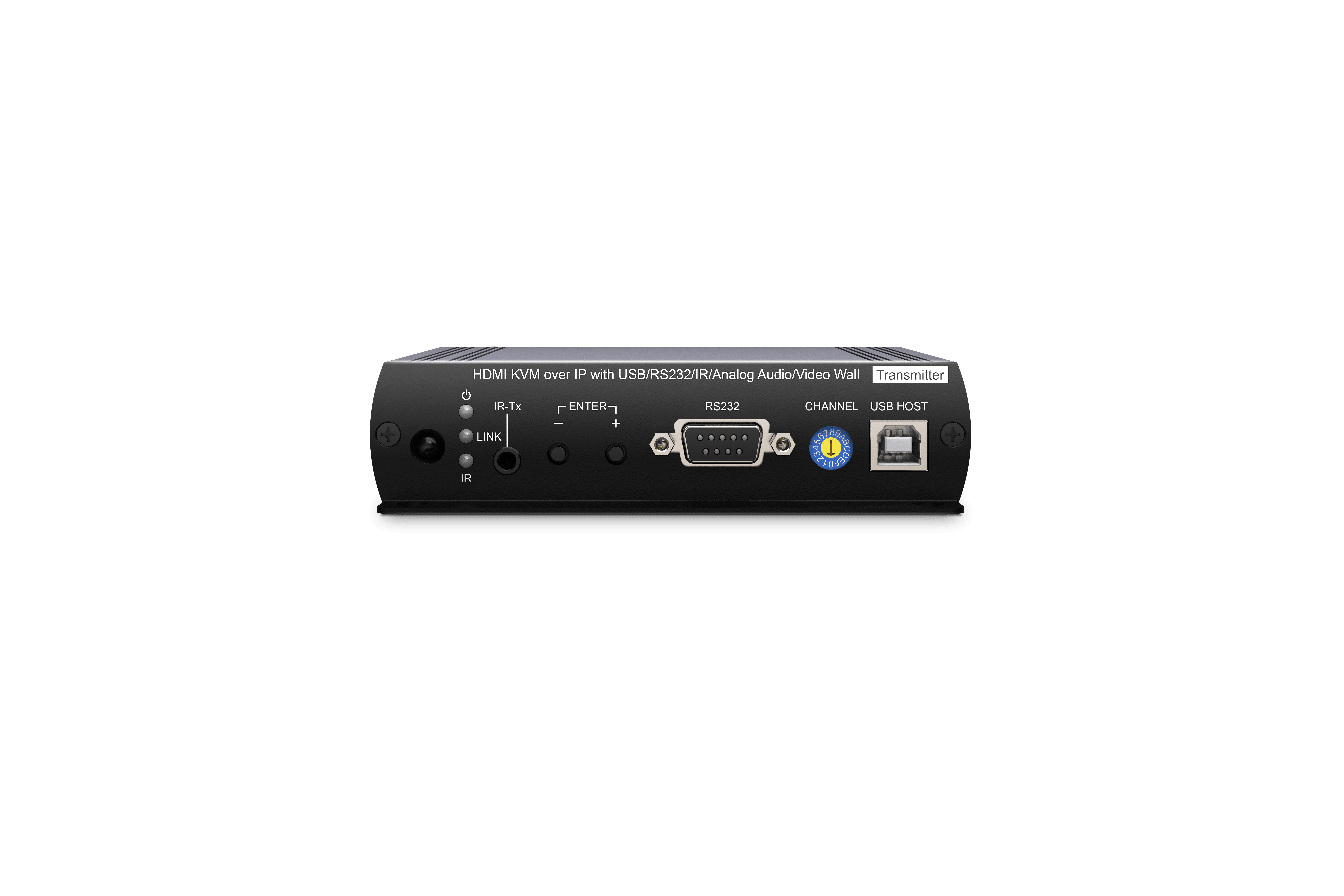
SC&T: HDMI over IP encoders and decoders
Video Conferencing System Features
Any Source on Any Display
Medium to large conference rooms usually have multiple displays and sources, sometimes including a video wall. The advantage of the AV over IP matrix is that it can integrate all equipment into one system. With all sources connected to transmitters (encoders) and all output devices connected to receivers (decoders), it creates a large video matrix system that supports video wall displays.
Two Types of AV Sources, Three Processing Methods
In our video conferencing room system, there are two types of video input: laptops/desktop computers and cameras. The input video can be processed in three ways: displayed on monitors, recorded by the recording host, or, in the case of camera video, used by video conferencing software on a computer. All sources and outputs can be controlled by the environmental control host.
Seamless PTZ Camera Switching
Despite using a 1G distributed matrix, SC&T's conference room system can achieve seamless switching between different cameras or sources. If you are interested, do not hesitate to contact us for more information!
BYOD Support
Supporting BYOD (Bring Your Own Device) is essential, as many users bring their own laptops to the conference room. The system must allow easy connection and control of display devices, cameras, and audio equipment.
To meet this need, the system supports not only HDMI input but also USB-C video input, as USB-C now supports audio and video transmission and is widely used in many laptops.
Simple Operation Interface
The touchscreen allows users to simply control all equipment in the conference room, including switching display sources, changing display modes, switching microphones and speakers, adjusting cameras, and powering the system on or off. All adjustments can be made easily through the touchscreen.
Recording System
All sources can be fed into the recording host to record meeting content.
Centralized Power Over Ethernet (PoE)
The entire conference room uses PoE switches to power transmitters and receivers. SC&T's AV over IP matrix has PoE versions, allowing the environmental control host to manage the PoE switch for centralized power. This ensures all equipment shuts down when the system is off, reducing the likelihood of system crashes from long periods of inactivity.
Advanced System Details
Supporting USB-C Video Input via Switcher
The system integrator added a USB-C/HDMI switcher at the input end of the matrix system. The switcher automatically switches based on the input signal, enabling the matrix to support USB-C video input.
Using Capture Cards to Integrate Cameras and BYOD Devices
Integrating camera feeds into the computer can be done in several ways. To ensure seamless integration with the AV over IP matrix, our local integrator prefers to use a capture card to convert HDMI from the decoder to USB for BYOD laptops. This setup retains the system's switching functionality while feeding the camera image to the laptop.
Connect the capture card device to the over-IP decoder's HDMI output, and the capture card converts the HDMI to USB, which is then fed into the BYOD laptop.
This allows the decoder to switch camera channels while ensuring the video feed is successfully sent to the computer for use with communication software like Microsoft Teams, Google Meet, or Skype.
This setup integrates the capture card into the over-IP environment while retaining the AV over IP system's complete functionality.
Rack Integration Accessories
We understand the difficulty of perfectly placing equipment in racks. Integrators often need to measure and calculate rack space for each component.
SC&T designs rack panels with pre-drilled screw holes for various equipment sizes, complemented by clear size markings.
Flexible Equipment Planning
There is no single way to combine equipment, and our integrators' customer surveys reveal many options.
Diverse AV over IP and Environmental Control Solutions
Different customer needs require systematic options to create maximum value.
SC&T’s AV over IP equipment supports resolutions from 1080p to 4K 60Hz and interfaces like HDMI, DVI, and VGA. Paired with SC&T’s USB-C/HDMI switcher, the system can also support USB-C video input.
Additionally, our integrators combine AVer audio equipment and capture cards to allow BYOD devices to use the room's built-in cameras.
Compatibility with Multiple Environmental Control Systems
Many integrators use our AV over IP decoders and encoders with common environmental control hosts like Crestron and AMX. This successfully meets end-user needs while increasing profits.
If you have any questions about the entire system, please email us, and our specialists will discuss and recommend suitable products for you.
Thank you ! Your request has been accepted. We’re looking forward to getting in touch with you. You can expect our response within 3 days. If not, please double check your spam folder.
Oops! Something went wrong while submitting the form.
Thank you ! Your request has been accepted. We’re looking forward to getting in touch with you. You can expect our response within 3 days. If not, please double check your spam folder.
Oops! Something went wrong while submitting the form.
Thank you ! Your request has been accepted. We’re looking forward to getting in touch with you. You can expect our response within 3 days. If not, please double check your spam folder.
Oops! Something went wrong while submitting the form.
Thank you ! Your request has been accepted. We’re looking forward to getting in touch with you. You can expect our response within 3 days. If not, please double check your spam folder.
Oops! Something went wrong while submitting the form.
Cookies Consent
We aim to enhance your experience on our website and would love your help to do so!
By accepting the storage of cookies, you assist us in analyzing website usage and refining our marketing strategies. We use cookies only to enhance your browsing experience and remember your preferences on this site.
You have full control over your cookie settings and can modify them anytime in the Privacy Preference Center. For a comprehensive understanding of how we protect your privacy, please refer to our privacy policy.