
USB Device Not Recognized? Troubleshooting USB Extenders and KVM Systems
A USB device may work normally when connected directly to a computer but stop working after a USB extender or KVM system is added.


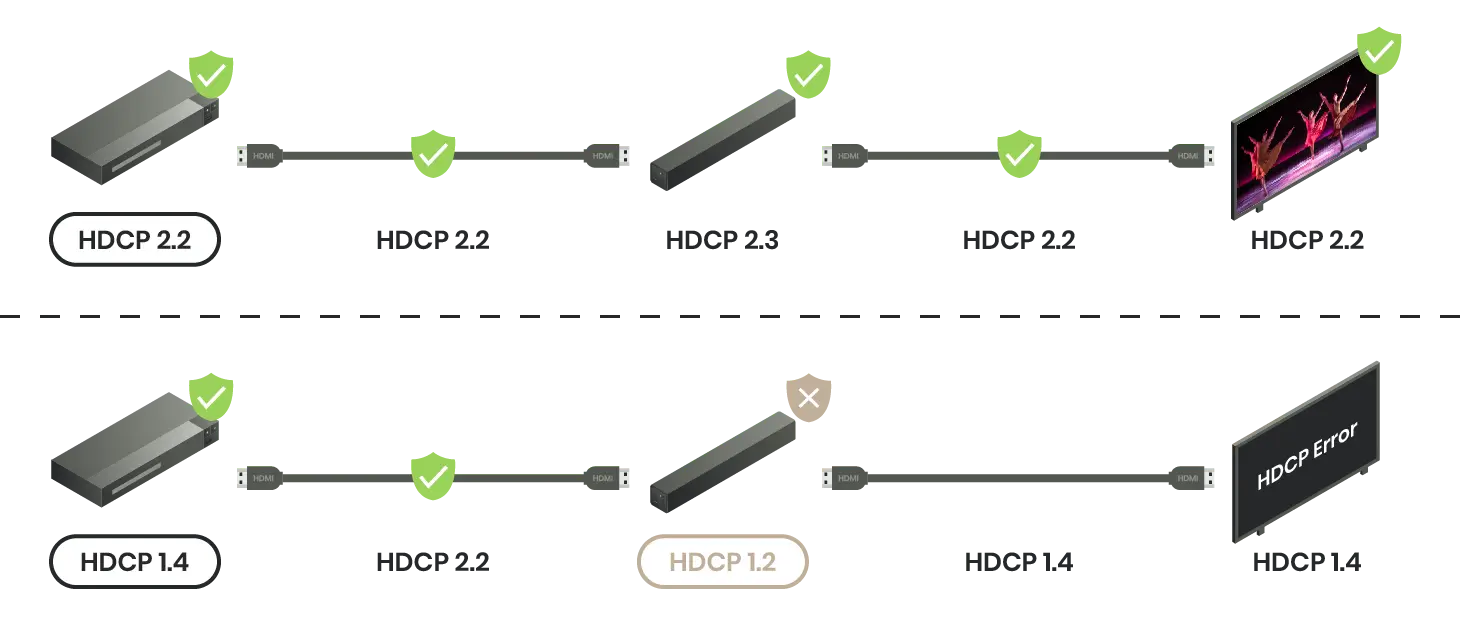
HDCP is a digital content protection standard. When playing HDCP content, all playback devices need to be HDCP compliant and have compatible HDCP versions, or it may cause HDCP issues.
Andrew recently purchased a Blu-ray player and connected it to his TV screen using an HDMI cable. However, upon inserting a new Blu-ray disc into the player, he encountered an HDCP error on the screen.

Andrew and his family had a fantastic day at the amusement park. Upon returning to their hotel, they attempted to stream Netflix content from their phones to the hotel TV. However, they were disappointed as the TV displayed only a black screen instead of playing the content.

Encountering these issues may seem alarming, but don't panic. HDCP serves as a content protection standard for the HDMI transmission interface. It's important to note that these errors don't necessarily imply illegal access to content; rather, they indicate that your devices may not be passing HDCP's checks. Let's delve deeper into these scenarios to help you fix HDCP errors.
If you have ever encountered the following error messages, keep reading for how to fix the HDCP error!
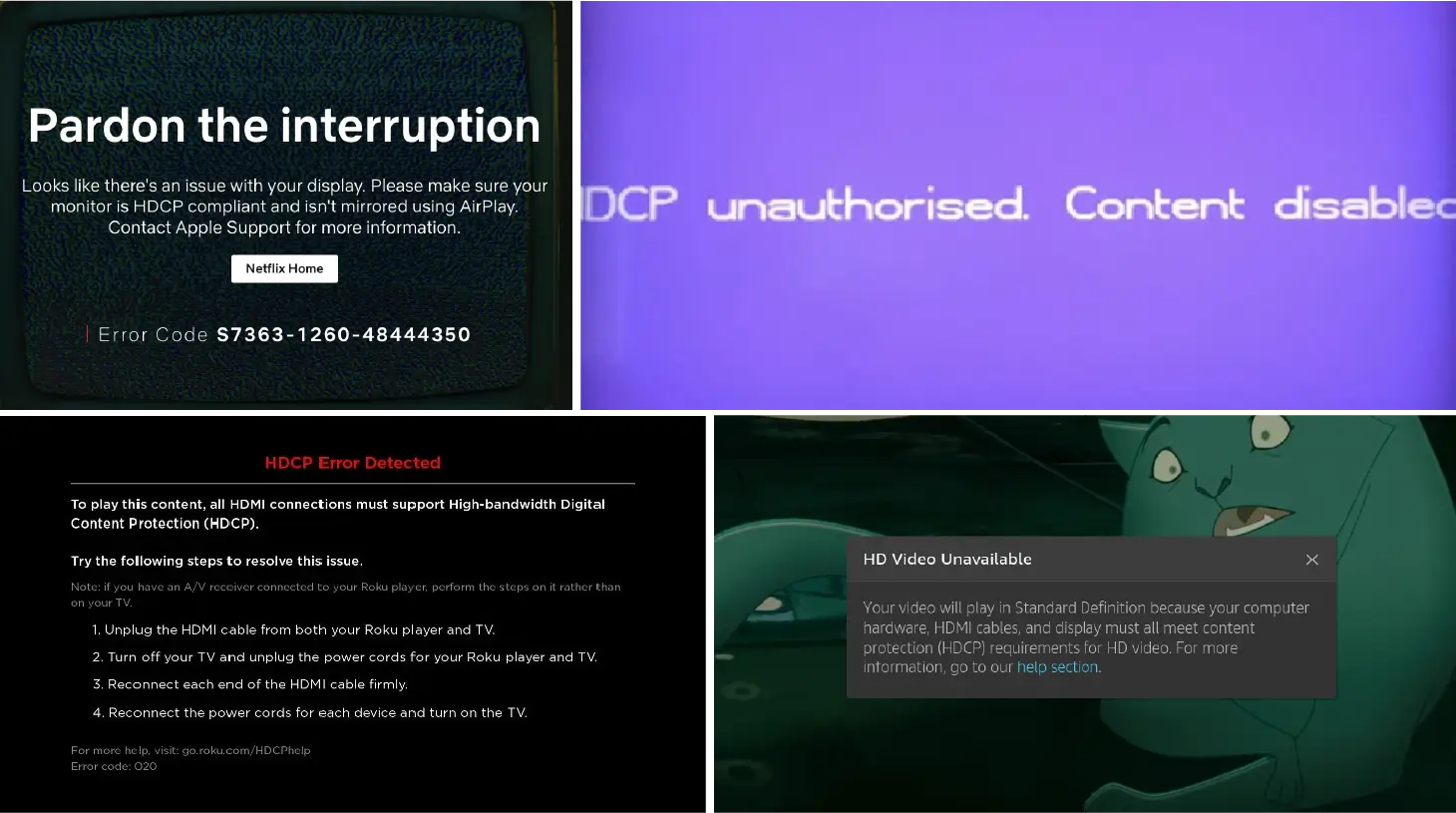
HDCP, or High-Bandwidth Digital Content Protection, is a standard for anti-piracy protection of digital content. Its primary function is to prevent unauthorized copying of copyrighted content during HDMI transmission. In the past, capturing cards could easily record such content. Devices or media content with HDCP protection must comply with anti-piracy protocols to successfully transmit or display images over HDMI interfaces.

The relationship between HDMI and HDCP is integral. HDMI serves as the physical interface through which HDCP-protected content is transmitted between devices. Think of HDMI as the highway, and HDCP as the security checkpoint ensuring only authorized content passes through. Without HDCP compliance, HDMI alone cannot guarantee secure content transmission. Other interfaces, such as DisplayPort, also support certain HDCP versions.
HDCP-compliant devices possess unique sets of encryption keys. When attempting to transmit HDCP-protected content from one device to another, they exchange these keys. These keys both confirm HDCP compliance and encrypt and decrypt content during transmission, preventing interception attacks from obtaining unprotected media.

Output devices initiate communication with the screen, asking, "Are you HDCP compliant? Here's my license. Can you provide yours?" In response, the display or other HDCP-compliant devices affirm, "I'm also HDCP-compliant! Here's my license!"
With successful verification, transmission seamlessly progresses. This handshake process occurs in milliseconds. When all devices adhere to the protocol, you can enjoy your TV or PS5 without even being aware of HDCP. Nevertheless, you're here, seeking further insight into HDCP through this article.
Earlier HDCP versions only supported direct device-to-display transmission of HDCP-protected content. Since HDMI 2.0, there are more and more audiovisual devices and a higher need to be compatible with HDCP standards. Such devices include repeaters, extenders, and splitters. Like direct connections, successful transmission in networked A/V systems requires compliance with the same HDCP standard across all devices involved.

Generally, four HDCP versions are commonly found in devices on the market. HDCP 2.3 is the latest version, supporting resolutions up to 8K@60Hz. As HDCP is backward compatible, newer versions can work with older ones. When you have the content protected by HDCP 2.2 and HDCP 2.3 devices, the devices can still play HDCP 2.2 content. See the table below for detailed HDMI versions and HDCP versions.
In addition to HDMI, other HDCP-support interfaces might also lead to HDCP issues, such as DVI and DisplayPort. DisplayPort 1.3 and above versions are compatible with HDCP 2.2.
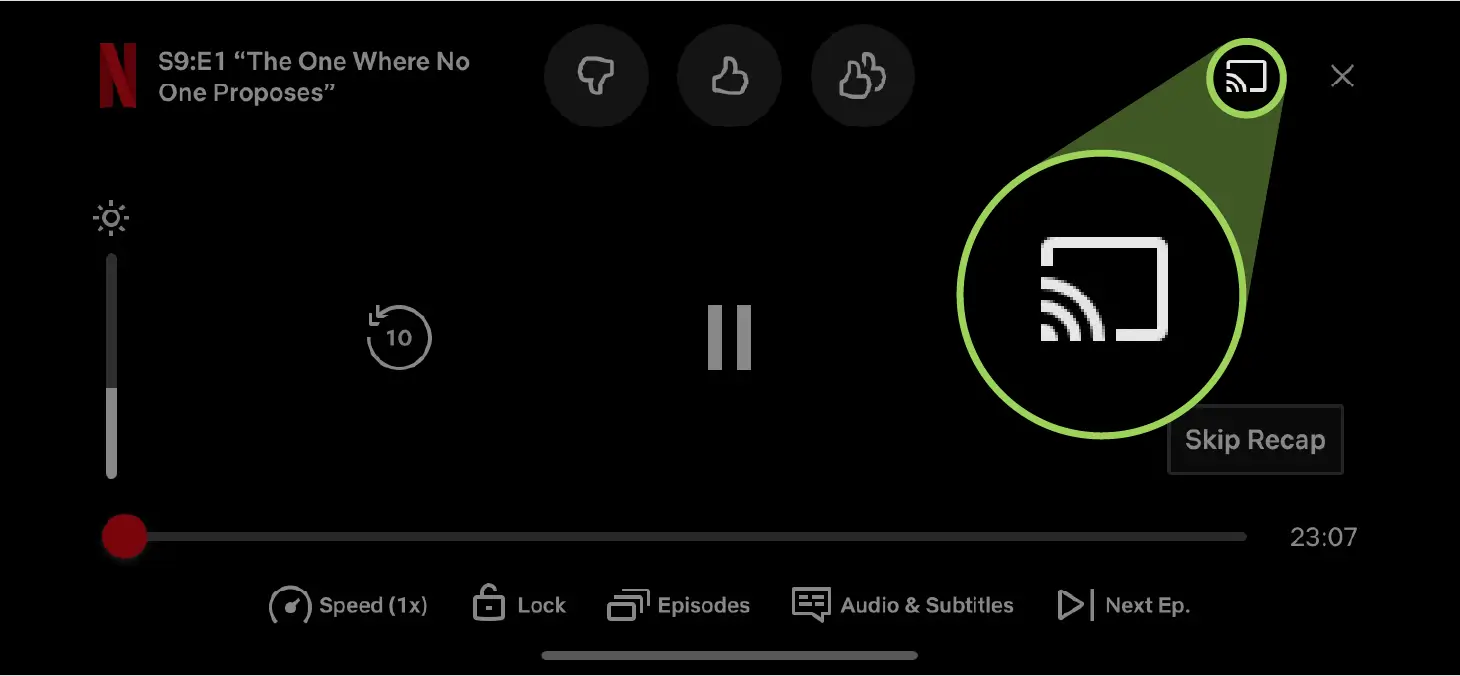
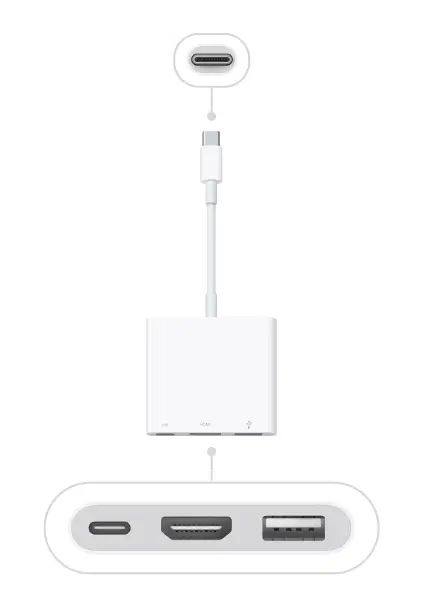
Common reasons for HDCP errors include:
Here we provide some effective solutions for common HDCP errors:


Understanding HDCP protection and its principles is crucial for seamless audiovisual experiences. By troubleshooting HDCP errors effectively, users can enjoy uninterrupted access to high-quality, protected content.
In addition to HDCP, display issues may also result from EDID issues. Learn how to address EDID issues in The Quickest Way to Solve Your EDID Issues.
Copyright © SC&T. All rights reserved. No part of this website may be reproduced or distributed without prior written permission.
A USB device may work normally when connected directly to a computer but stop working after a USB extender or KVM system is added.
AV requirements in a medical simulation center go beyond recording a training session. In addition to room camera feeds and audio, a session may require recording patient vital signs, ultrasound images, or displays from other equipment. Some content may need to be sent to a control room or observation area for live viewing and later used during debriefing.
PoE, PoE+, and PoE++ all carry network data and DC power over an Ethernet cable. The main difference is the amount of power they can deliver. Basic PoE works for many low-power devices, such as IP phones and some PoE IP cameras. PoE+ provides more power and is commonly used for PTZ cameras and wireless access points. PoE++ uses IEEE 802.3bt Type 3 or Type 4 to power network devices with higher power requirements.

1. All specifications are subject to change without notice.
2. Brand and product names mentioned are trademarks of their respective companies.
3. The terms HDMI, HDMI High-Definition Multimedia Interface, HDMI Trade dress and the HDMI Logos are trademarks or registered trademarks of HDMI Licensing Administrator, Inc.


