Campus AV Systems on a Budget: Seven Practical Strategies for System Integrators
Higher education institutions face a common challenge: they need to improve classroom and campus AV systems while operating with limited budgets, small technical teams, and restricted maintenance resources.
This article is inspired by the budget, standardization, and resource-planning issues discussed in AVIXA’s webinar, Campus AV Systems on a Budget. It extends those themes from the perspective of system integrators responsible for project planning, deployment, and long-term support.
The following recommendations are not a section-by-section summary of the webinar. They are practical interpretations developed for integrators working on campus AV projects.
1. Build a Small Number of Repeatable Room Standards
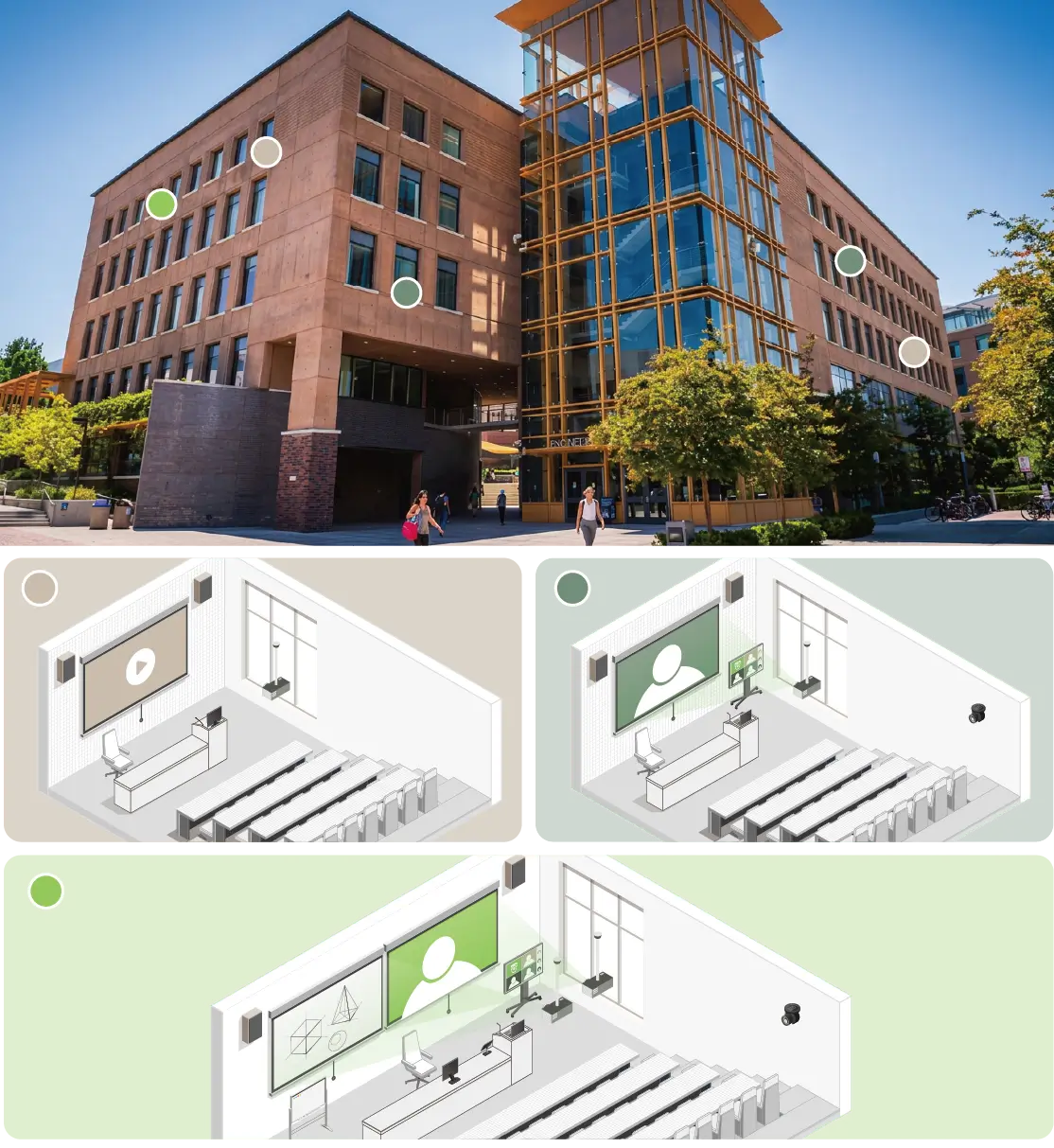
A large campus may include standard classrooms, seminar rooms, laboratories, lecture halls, meeting rooms, and flexible learning spaces.
These spaces do not require identical equipment, but they should not all be treated as completely separate designs.
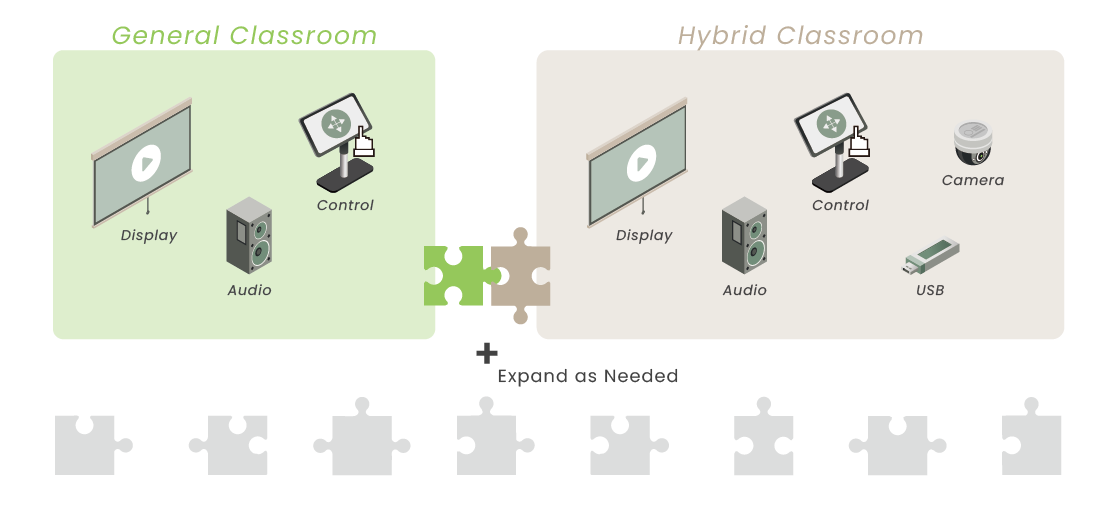
Integrators can work with the institution to establish a limited number of standard room types, such as:
Basic presentation rooms
Standard teaching rooms
Hybrid learning rooms
Large lecture spaces
Specialized teaching or collaboration rooms
Each standard can define the preferred signal flow, input and output requirements, control method, equipment location, cabling structure, and user interface.
This approach reduces repeated engineering work and makes quotation, programming, installation, testing, documentation, and user training more efficient.
2. Standardize the Architecture While Preserving Sourcing Flexibility
Standardization does not require every classroom to use the same product or manufacturer.
Overreliance on a proprietary platform may create risks when products are discontinued, delivery times increase, or support policies change.
A more resilient approach is to standardize functions and interfaces, including:
Required video resolutions and signal formats
HDMI, USB, USB-C, or network interfaces
Minimum switching and extension requirements
Control and monitoring expectations
Equipment replacement procedures
Documentation and labeling rules
Integrators can then select compatible products based on room conditions, availability, budget, and lifecycle status.
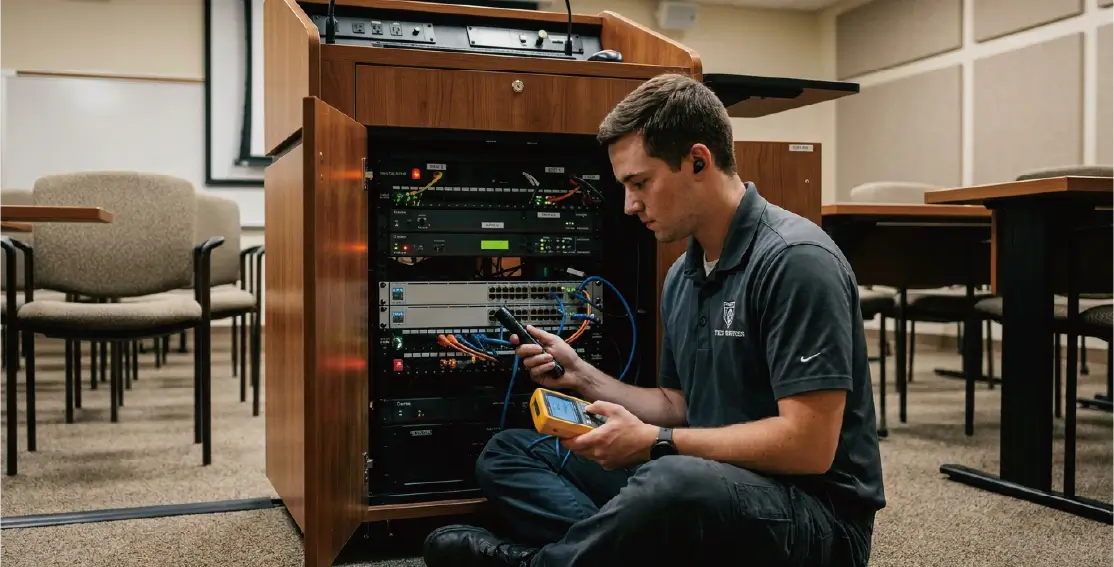
3. Treat Serviceability as a Design Requirement
Campus AV equipment is often expected to operate for many years and may be supported by a relatively small technical team.
Serviceability should therefore be considered from the beginning of the design process.
Practical considerations include:
Placing equipment where technicians can access it safely
Using consistent rack and cabinet layouts
Clearly labeling cables, ports, transmitters, receivers, and power supplies
Providing test points for common signal paths
Separating replaceable components from permanent infrastructure
Maintaining configuration backups and accurate as-built documentation
Modular signal extension and distribution can also simplify replacement.
If a transmitter, receiver, converter, or power supply fails, the support team should be able to replace the affected unit without rebuilding the entire signal path.
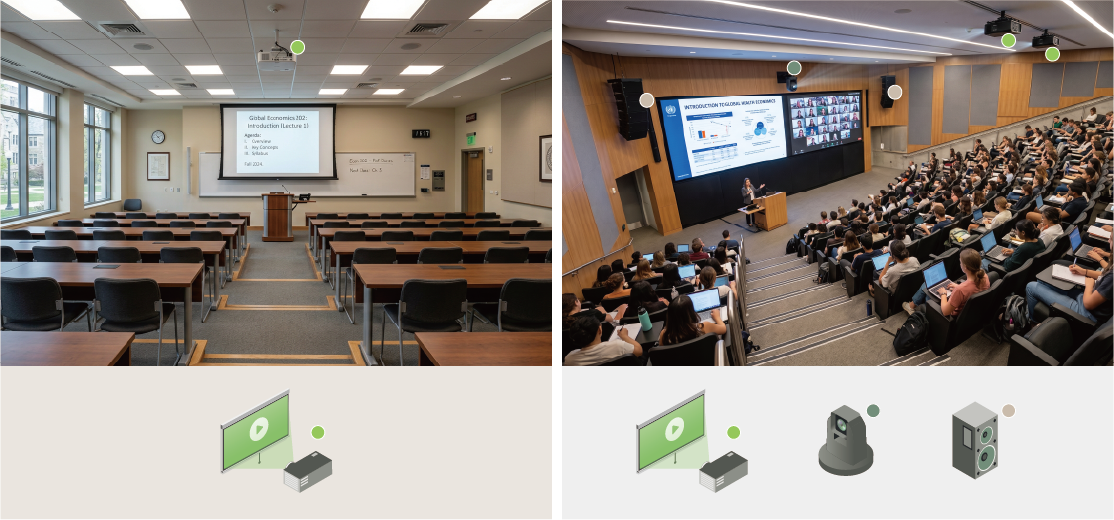
4. Match Specifications to the Room’s Actual Purpose
Not every classroom requires the same level of technology.
A basic presentation room may only need reliable source switching, display connectivity, audio reinforcement, and simple control.
A hybrid teaching room may require USB extension, cameras, microphones, conferencing integration, and more advanced signal management.
Integrators should evaluate:
Room capacity and layout
Teaching and presentation methods
Frequency of use
Number and type of user devices
Distance between sources, racks, and displays
Need for remote support or monitoring
Consequences of system downtime
Where possible, usage data, failure records, and support tickets should be used to validate the design.
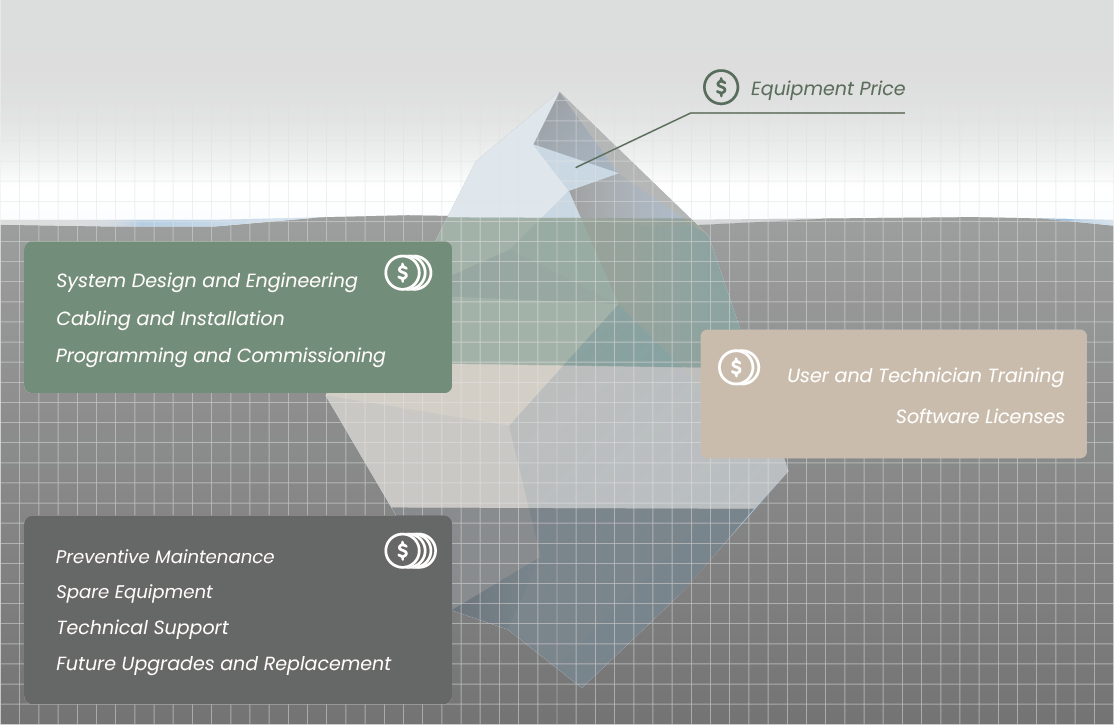
5. Evaluate Total Lifecycle Cost
Equipment price is only one part of the total cost of a campus AV system.
Lifecycle cost may also include:
System design and engineering
Cabling and installation
Programming and commissioning
User and technician training
Software licenses
Preventive maintenance
Spare equipment
Technical support
Future upgrades and replacement
A lower-cost product may create higher long-term expenses if it requires additional programming, frequent support, specialized replacement parts, or complete system redesign when it reaches end of life.
Integrators can provide greater value by presenting lifecycle cost and operational impact alongside the initial quotation.
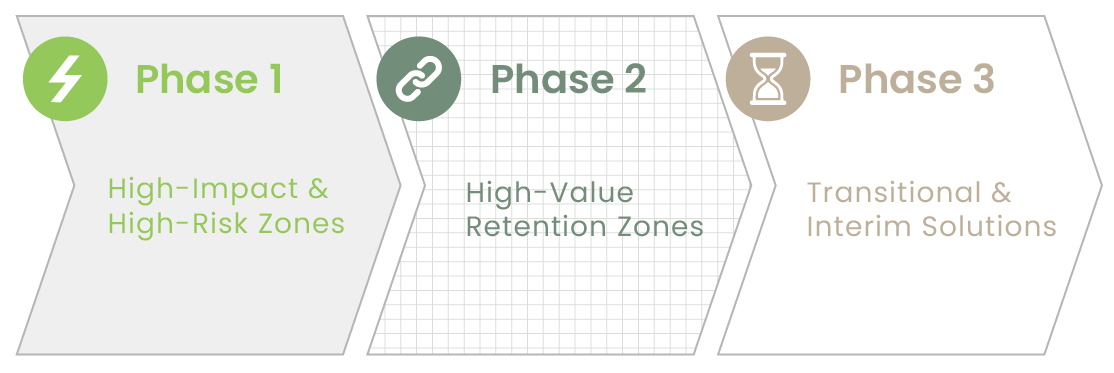
6. Plan for Phased Upgrades
Most universities cannot replace every classroom system at the same time.
A practical campus strategy should therefore support phased modernization.
Integrators can help customers identify:
High-use rooms that should be upgraded first
Unsupported or end-of-life equipment
Common failure points
Existing infrastructure that can remain in service
Components that can be upgraded independently
Temporary solutions for spaces awaiting renovation
Existing displays, cabling, racks, or control infrastructure may sometimes remain usable.
Signal extension, conversion, switching, and distribution equipment can help connect existing infrastructure with newer sources and displays.
7. Deliver a Consistent and Understandable User Experience
Campus AV systems serve a large number of users, most of whom are not AV specialists.
When every room behaves differently, users need more training and support teams receive more service calls.
Consistent interfaces, connection points, terminology, and startup procedures make it easier for instructors to move between buildings and classrooms.
Integrators should evaluate the system from the user’s perspective:
Can the system be started quickly?
Are input connections clearly identified?
Do common functions behave consistently across different rooms?
Can routine problems be resolved without technical assistance?
Is there a clear fallback method when equipment fails?
Conclusion
Budget-conscious campus AV is not simply about reducing equipment cost.
An effective campus AV architecture must be repeatable, maintainable, supportable, and upgradeable across many different spaces.
For system integrators, the most practical strategies are:
Create repeatable room standards.
Standardize functions while preserving sourcing flexibility.
Design equipment and signal paths for fast maintenance.
Match system capability to actual room usage.
Evaluate total lifecycle cost.
Support phased upgrades and infrastructure reuse.
Deliver a consistent and understandable user experience.
The strongest campus AV proposal is not necessarily the one with the longest equipment list.
It is the one that helps the institution manage more rooms with fewer system variations, shorter support times, and a practical path for future expansion.
Content reference: AVIXA, Campus AV Systems on a Budget. This article extends the webinar’s discussion of campus AV budgeting and system planning into practical recommendations for system integrators. It is not a direct or section-by-section summary of the webinar.
Thank you ! Your request has been accepted. We’re looking forward to getting in touch with you. You can expect our response within 3 days. If not, please double check your spam folder.
Oops! Something went wrong while submitting the form.
Thank you ! Your request has been accepted. We’re looking forward to getting in touch with you. You can expect our response within 3 days. If not, please double check your spam folder.
Oops! Something went wrong while submitting the form.
Thank you ! Your request has been accepted. We’re looking forward to getting in touch with you. You can expect our response within 3 days. If not, please double check your spam folder.
Oops! Something went wrong while submitting the form.
Thank you ! Your request has been accepted. We’re looking forward to getting in touch with you. You can expect our response within 3 days. If not, please double check your spam folder.
Oops! Something went wrong while submitting the form.
Cookies Consent
We aim to enhance your experience on our website and would love your help to do so!
By accepting the storage of cookies, you assist us in analyzing website usage and refining our marketing strategies. We use cookies only to enhance your browsing experience and remember your preferences on this site.
You have full control over your cookie settings and can modify them anytime in the Privacy Preference Center. For a comprehensive understanding of how we protect your privacy, please refer to our privacy policy.